
Last updated: November 19, 2026
Quick Answer: A strong freelance client insurance communication plan usually centers on 1 primary contact, 1 backup, 1 request workflow, and 1 claim path. Freelance clients need one clear path for certificates, incident notices, and claim updates, or the insurance process turns messy fast. A client insurance communication plan gives each client one contact, one workflow, and one rule for what happens after a loss. The steps below settle who says what, when the certificate of insurance goes out, and how to keep the contract and documentation lined up.
Who this plan is for, and what it assumes you already have
This plan is for freelancers who already carry some form of business insurance and need a repeatable way to explain it to clients; the topic is How to Create an Insurance Communication Plan for Freelance Clients. It assumes you know your carrier name, your policy start and end dates, and who at the client side handles the project manager role or contract admin.
This is information, not financial advice, and rates, limits, and policy terms vary by country and by carrier; if your situation is unusual, talk with a qualified adviser about your own coverage. A cleaner process does not replace the policy itself.
Use this only if you can already answer three things:
- Who your insurance carrier is
- Where your current certificate of insurance lives
- Which client contact should receive notices, not the whole company inbox
It is not the right tool if you do not know what your policy covers, if a client is asking for a legal change to the contract, or if the project has a high chance of bodily injury, data loss, or property damage. In those cases, the communication plan still helps, but it should sit beside qualified guidance, not replace it.
The best part is that the plan is mostly paperwork discipline.
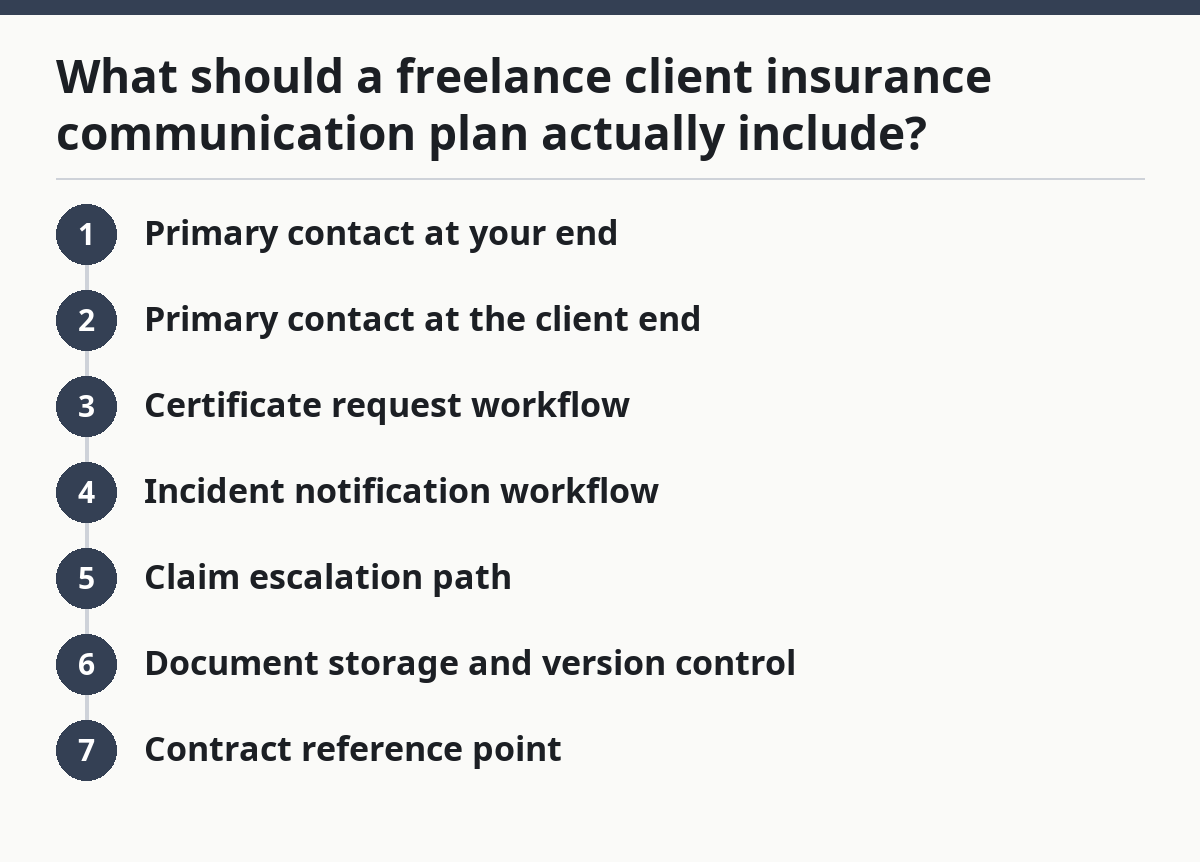
What should a freelance client insurance communication plan actually include?
A good plan names four parts: contacts, triggers, documents, and timing. If one of those parts is missing, messages get lost and the client starts asking the same question twice.
Picture this: you’re halfway through a project, the client asks for proof of coverage, and the project manager wants it by 5 p.m. If you already know who receives requests, what file you send, and what the follow-up timeline is, the conversation stays calm and short. If you don’t, the request can bounce between inboxes for days.
The plan should cover:
- Primary contact at your end
- Primary contact at the client end
- Certificate request workflow
- Incident notification workflow
- Claim escalation path
- Document storage and version control
- Contract reference point
A plain-language checklist works better than a long policy memo. Keep it to one page if you can.
Build these fields into the plan
- Your business name as it appears on the policy
- The exact email used for insurance requests
- The client’s risk, legal, or procurement contact
- The project manager for day-to-day questions
- The contract clause or appendix that points to insurance paperwork
- The carrier claims phone number and claims email
- The file name format for certificates, notices, and claim notes
How do you create the plan step by step?
You create it by mapping the people, setting the triggers, and writing one short script for each insurance event. That sounds formal, but the work is simple if you build it in the right order.
Picture this: you’re starting a new retainer, and the client wants proof of insurance before kickoff. You do not want to invent the process in the moment. You want a standard path that tells everyone what to do in under 2 minutes.
- Name the contacts. List one primary contact on your side and one at the client side, plus a backup for each. Verify that each person’s email and role are current before the project starts. If the only contact is a general inbox, the process may stall the first time someone is out of office.
- Write the request trigger. Define which events require action: new project start, annual renewal, incident notice, or claim notice. Keep the trigger list to the events your carrier or contract actually requires. If the list includes vague phrases like “as needed,” the plan is too fuzzy to use.
- Set the response window. Use a business-day target, such as same-day acknowledgment and next-business-day document delivery when the file is already on hand. Verify that the timing matches your actual workflow. If you cannot meet it, shorten the promise or remove it.
- Standardize certificate requests. Decide what details you need before you send a certificate of insurance: legal entity name, project name, address, additional insured language if relevant to another process, and the exact recipient. A request without those fields should be sent back for completion. Missing data is the problem signal.
- Draft the incident notice script. Write a short message that says what happened, when it happened, who was involved, and whether the client needs to preserve records. Keep it factual and do not assign blame. If the incident note reads like an apology or a denial, it needs revision.
- Map the claim path. Put the carrier claims contact, your internal escalation contact, and the client’s reporting contact in one order. Verify that the carrier wants notice by phone, email, portal, or all three. If the plan sends a claim only to the client, you’ve built a delay.
- Define document storage. Save certificates, incident notes, claim correspondence, and contract references in one folder structure with dated file names. Keep the naming pattern the same for every client. If you cannot find the latest file in 30 seconds, the structure is not good enough.
- Test the workflow once. Send a mock certificate request and a mock incident note through the system. Check whether the right person gets each message and whether the reply comes back with the right attachment. If the test breaks, fix the handoff before a real issue comes up.
A useful plan is boring. It should be boring.
What should clients know before work starts?
Clients should know who to contact, what to ask for, and what your insurance process will not do. That keeps the project manager from guessing and keeps the contract from turning into a weekly email thread.
Picture this: you’ve sent the kickoff note, and the client’s procurement team wants “proof of coverage” plus an update path for any incident. If you explain the process up front, you reduce friction later. If you wait, they may assume silence means there is a problem.
Your client-facing note should say:
- The name and email for insurance requests
- The kinds of requests you can process quickly
- The documents you can provide, such as a certificate of insurance
- The event that starts an incident notice
- Who should receive claim-related updates
- What should happen if the project manager changes mid-project
Keep the wording plain. Avoid legal language unless the contract already uses it. If the client needs a different form, ask for it early rather than after work begins.
One useful line is: “Please route insurance requests to this contact so the file stays in one place.” That sentence does more work than a long explanation.
A simple client note can cover this
- Before kickoff: send the contact list
- During the project: use the same email thread for insurance requests
- After an incident: notify the named contact first, then the carrier
When should you stop and get qualified help?
You should stop the DIY process when the insurance issue changes the legal or coverage position of the job. The communication plan handles messaging; it does not fix a policy problem, rewrite a contract, or decide coverage.
Picture this: a client wants proof fast, the project has a new risk, or an incident already happened and the facts are not clear. That is the point where a tidy email template is no longer enough. The wrong message can create confusion about notice, responsibility, or policy timing.
The client asks for a contract change tied to insurance: that is a contract issue, not just a communication issue — pause the plan and route it through the contract process.
You do not know whether the event is a covered claim or a reportable incident: the notice may need to go out in a specific way — contact the carrier or a qualified adviser before you message the client.
The client wants a certificate in a format your carrier does not issue: you may need an alternate form or carrier support — do not improvise the wording.
The incident involves injury, property damage, or client data: the stakes are higher and timing matters — use the carrier’s claim process first, then update the client with facts only.
The project moved to a new legal entity or new country: the old plan may no longer fit — rebuild it around the new entity and current policy terms.
The client wants you to explain coverage in writing beyond the certificate: that can drift into advice or misstatement — keep the note short and factual.
The truth is, the plan is a communication tool, not a coverage decision tool.
What mistakes do freelancers make with insurance communication?
Freelancers usually make the same few mistakes, and each one creates avoidable delay. The fix is not fancy software; it is tighter process and fewer assumptions.
Picture this: a project is already moving, the client wants a certificate, and someone sends the request to the wrong inbox. Now the project manager thinks insurance is “being handled,” but nobody can find the email trail later. That tiny miss can spread across the whole job.
- Using no named contact. The result is lost requests and duplicate messages. Use one person, one backup, and one shared email thread.
- Treating the certificate as the whole process. The result is no plan for incidents or claims. Add notice and escalation steps, not just document delivery.
- Sending vague incident notes. The result is confusion about timing and facts. Use a short factual record with date, place, and people involved.
- Failing to update the client when contacts change. The result is requests going to the wrong person after the first handoff. Send a 1-paragraph update the same day.
- Mixing insurance talk with blame or speculation. The result is a messy record if a claim follows. Keep the language neutral and factual.
- Storing files in random places. The result is lost documents when the client asks again months later. Use one folder and one naming pattern.
How does this change when the project is bigger or riskier?
It changes by adding more handoffs, more records, and a narrower message script. The core plan stays the same, but the details need more control when the work touches sites, equipment, sensitive data, or multiple client teams.
Picture this: you’re on a larger project with a project manager, a legal contact, and a procurement person all asking different versions of the same insurance question. A one-person process will not hold up well there. The more people involved, the more important the routing rules become.
Use these adjustments:
- Add a second client contact for escalation.
- Require written confirmation before sending any revised certificate.
- Keep incident notes in a dated log, not in chat only.
- Put the carrier claims contact in the first line of the escalation list.
- Recheck the contract reference before each renewal or scope change.
If the work involves multiple months, refresh the contact list at least once per quarter. Contacts leave, roles change, and old emails die quietly.
For broader context on policy basics, the hub on Freelancer Business Insurance Fundamentals is the right place to start.
What does a good result look like?
A good result is one where the client can find the right contact in under a minute and you can produce the right document without hunting through old email. The measure is not perfection; it is consistency.
Picture this: the client asks for a certificate, a project manager changes, or an incident happens on a Friday afternoon. A good plan means the next step is obvious and the record stays clean. A bad plan means someone starts guessing.
Look for these signs:
- Requests arrive in the right inbox
- Certificates are sent with the right recipient name
- Incident notes are factual and dated
- Claim notices can be traced from first report to final update
- Contract references are easy to find
- The client does not need to ask the same question twice
If those boxes are checked, the plan is working.
Key takeaways
- A client insurance communication plan is a routing system, not a policy summary.
- Give each client one named contact, one backup, and one document path.
- Separate certificate requests from incident notices and claim escalation.
- Keep the language factual, brief, and tied to the contract.
- Recheck contacts and file names when the project changes.
Who should I contact first in a claim?
The carrier claims contact should usually be first, because the insurer needs the facts and the timing as soon as possible. After that, notify the client contact named in your plan so they know what happened and who is handling follow-up. If the situation involves injury, property damage, or data, get qualified help on the reporting sequence.
What should clients know about my insurance process?
Clients should know who to contact, what documents they can request, and how incident notices will be handled. They should also know that insurance questions go through one named channel, not several inboxes. That keeps the record clean and reduces delays when a certificate or claim update is needed.
How do I keep client communication professional after an incident?
Keep it short, factual, and time-stamped. State what happened, when it happened, and what step is next, without guessing at fault or coverage. If the facts are unclear, say so plainly and stick to the reporting path in the plan.
Drafted with AI; not yet reviewed by a person.
