

Last updated: November 27, 2026
Quick answer: 2 policies usually matter — cyber insurance and professional liability insurance. For how to insure a freelance business that stores client files for long-term retention, match those policies to the way files are kept, backed up, and accessed after delivery. How to insure a freelance business that stores client files for long-term retention means matching document storage, privacy exposure, and backup copies to the policy terms. Client file retention changes the risk because old records can still be exposed, lost, or mishandled months or years later.
This is information, not financial advice. A qualified adviser should be consulted for your own situation, because coverage terms, limits, exclusions, and filing rules vary by country and by insurer.
Key takeaways
- Long-term storage creates a different risk from active client work: the file may sit idle, but it can still be stolen, deleted, or exposed.
- Cyber insurance usually addresses data breach response and computer-related loss; professional liability insurance is more about mistakes in the work itself.
- The insurer will care about how files are stored, who can reach them, and how backup copies are protected.
- Retention periods, access controls, and deletion rules matter as much as the policy form.
- A weak storage process can leave a gap even when you have both policy types.
Who this applies to
This applies to freelancers who keep client files after delivery and already know their basic record-keeping habits, such as where files are stored, who can access them, and how long they keep them. It also assumes you want to protect against the financial fallout of a privacy incident, document loss, or client dispute tied to archived files.
It is the wrong approach if you think insurance replaces file control. A policy cannot fix loose passwords, untracked drives, or unclear retention rules. If you handle especially sensitive records, or your contracts impose strict retention or deletion duties, a qualified adviser should review the wording before you rely on a standard policy.
How does client file retention change the risk?
Client file retention changes the risk because the exposure does not end when the project ends. A file kept for 12 months, 7 years, or longer can still contain names, addresses, IDs, contracts, source material, or work product that creates privacy exposure if it is lost or accessed without permission.
Because the file stays in storage longer, the risk stays alive longer too. The file can be stolen, corrupted, copied, or accidentally sent to the wrong person. That is why document storage, backup copies, and access logs matter to the insurer as much as the work you sold.
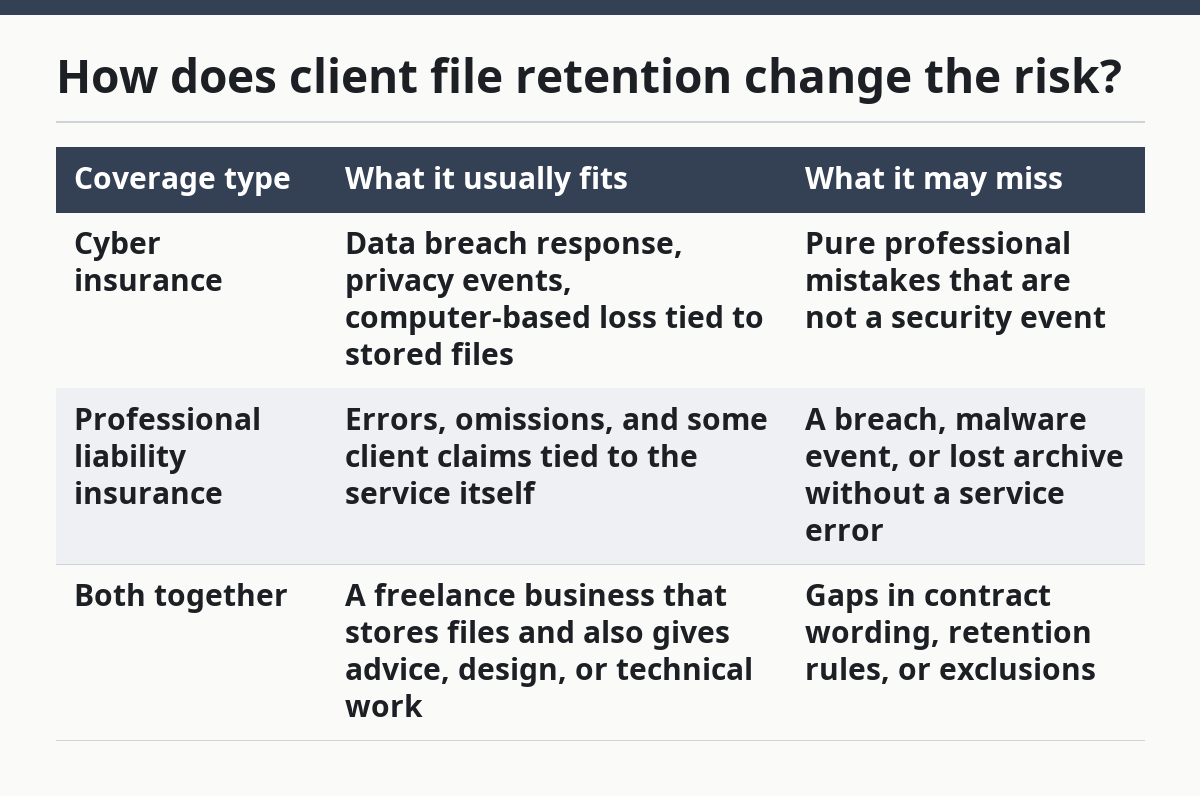
| Coverage type | What it usually fits | What it may miss |
|---|---|---|
| Cyber insurance | Data breach response, privacy events, computer-based loss tied to stored files | Pure professional mistakes that are not a security event |
| Professional liability insurance | Errors, omissions, and some client claims tied to the service itself | A breach, malware event, or lost archive without a service error |
| Both together | A freelance business that stores files and also gives advice, design, or technical work | Gaps in contract wording, retention rules, or exclusions |
A generic policy summary is not enough. The insurer may ask whether files are stored locally, in cloud storage, or on a managed document storage system, and whether backup copies are encrypted. A file archive without those controls can look like a higher-risk operation even if the business is small. Cyber insurance basics can help you compare policy forms before you apply.
For background on cyber controls, the NIST Cybersecurity Framework is a useful reference point. For privacy and data handling concepts, the FTC’s data security guidance is also a useful plain-language source, though local rules may differ.
How do you insure a freelance business that stores client files?
You insure it by matching the policy to the storage process, then proving that process on the application. Each step below should answer one question the insurer is likely to ask.

- Identify the files you retain and separate active project files from archived records, using a simple retention list with 3 groups if needed; verify that each file type has a reason to stay, and treat “just in case” storage as a problem because it expands exposure without a clear purpose. A qualified adviser can help if the retention categories are unclear.
- Map the storage tools you use, such as a cloud drive, encrypted local disk, or document storage platform, and note where backup copies live; verify that every copy is known, and flag any USB drive, laptop folder, or old account you cannot account for. If the setup is hard to document, a qualified IT professional should review it.
- Set the access rules for archived files, including who can open them and from what device; verify that old client files are not left open to broad shared access, and consider any account that has no multi-factor authentication a problem.
- Choose cyber insurance that includes data breach response, privacy liability, and restoration costs tied to stored files; verify that the policy language covers retained records, not only live systems, and treat a wording gap around archived data as a coverage risk. A qualified insurance adviser should confirm that the form fits your storage setup before you bind it. See the NAIC cyber insurance consumer guidance for a general starting point.
- Add professional liability insurance if your file retention ties back to advice, design, drafting, or other service errors; verify that the policy fits the work you do, and check that a claim involving a stale file is not excluded because it is framed as a data event.
- Document your backup copies using a 3-2-1 style approach where possible: 3 copies, 2 different media or locations, and 1 copy kept offsite; verify that at least one copy can be restored, and treat unreadable backups as a failure, not a backup. For a general backup reference, see CISA’s backup guidance, and consult a qualified IT professional if you need a backup design.
- Write your retention and deletion rule in plain language, such as “keep for X period, then delete or archive,” and align it with contract language; verify that the policy application matches what you actually do, because inconsistencies can cause trouble after a claim.
- Review exclusions and limits before the renewal date, which is often around 12 months after issue, but confirm the timing with the insurer; verify whether social engineering, unattended devices, or certain storage methods are excluded, and treat a mismatch between the policy and your workflow as a reason to revise one or the other.
The aim is not to buy the broadest promise. It is to make sure the insurance language and the file-retention practice describe the same business. If they do not, the insurer may argue that the loss falls outside the covered activity. Professional liability insurance may matter too if the archive process affects the work product.
What should you check before you apply?
You should check the storage path, the retention rule, and the breach response process before you submit an insurance application. Those three items tell the insurer how files are held, how long they remain exposed, and what happens if something goes wrong.

Start with the archive itself. If client files sit in a shared folder, a desktop email archive, or a device with no encryption, that is a red flag for both cyber insurance and professional liability insurance. A more orderly structure is easier to describe and easier to defend.
Then check the incident path. A policy that mentions data breach response is more useful when you know who would notify clients, preserve logs, and restore files. If you do not know where backup copies live, you cannot show the insurer that the archive is recoverable.
A short checklist helps:
- Retention periods are written down.
- Archived files are separated from current work.
- Access is limited to named accounts.
- Backup copies are tested for restore, not just stored.
- Deletion has a date, not a guess.
- Client contracts and storage practice do not conflict.
If you cannot confirm those points, the problem is not just coverage. It is the claim file the insurer would see later. A clean application is stronger when it matches a clean records process.
Which policy does what?
The right policy depends on whether the loss is a privacy event, a service error, or both. Cyber insurance and professional liability insurance often sit next to each other, but they do not solve the same problem.
Cyber insurance is usually the first place to look when stored files are exposed, lost, corrupted, or involved in a breach. It is the policy most likely to connect with data breach response, forensic work, and notification costs, depending on the wording.
Professional liability insurance is about the quality of the work. If a claim says the file retention mistake led to a bad deliverable, missed instruction, or service failure, that policy may matter more. The hard part is that some claims start as one thing and become another, so the wording on both policies has to be read carefully.
The common mistake is assuming one policy automatically picks up the other’s job. It may not. The insured event, not the label on the claim, decides the outcome. How to compare policy wording is often more useful than comparing marketing summaries.
When should you stop and get help?
You should stop using a standard do-it-yourself approach when the file risk stops being ordinary archive storage and starts affecting legal duties, contract promises, or regulated records.
Your clients require formal retention or destruction rules: that means the file period is part of the contract or a compliance duty — get a qualified adviser to review both the storage policy and the insurance wording.
You store sensitive identifiers or regulated records: that raises the stakes of a breach or mishandling — confirm whether the policy covers the specific privacy exposure before you rely on it.
You keep files on shared drives used by more than one person: that increases access risk — move to a tighter setup or revise the coverage description so it matches reality.
You have no tested backup copy: that means you may not be able to restore archived files after loss — fix the backup process before treating the archive as protected. If you are unsure how to test it, ask a qualified IT professional or adviser to review the plan.
Your policy application does not match how you actually work: that can create a dispute after a claim — correct the form, or ask a qualified adviser to review the mismatch.
You are unsure whether the claim would be cyber-related or service-related: that uncertainty matters because the wrong policy may deny the loss — ask for a professional review of the scenario before a problem occurs.
What mistakes do people make?
People usually make the same 5 mistakes, and each one turns a manageable archive into a coverage problem.
Because the files are old, they may treat them as low risk and assume nobody is working on them. That can lead to weak access control and expired passwords, which leaves archived records open to theft. The better move is to handle archived files as protected assets, not dead ones.
Second, they keep too many copies in too many places. One version in cloud storage, one on a laptop, and one in email may sound cautious, but it can make deletion, tracking, and breach response harder. A cleaner structure is easier to insure and easier to explain.
Third, they assume cyber insurance and professional liability insurance are interchangeable. They are not. A privacy incident, a restored backup failure, and a service error can trigger different coverage questions.
Fourth, they ignore backup testing. A backup that cannot be restored is only a copy, not usable protection. The problem may not appear until a file is needed after a loss.
Fifth, they write a retention rule that sounds tidy but does not match practice. That creates a mismatch between the records policy and the insurance application. The fix is to align the written rule, the storage method, and the policy wording.
When does the standard approach not apply?
The standard approach does not apply when the files are unusually sensitive, the archive is tied to a regulated process, or the storage method is too loose to describe with confidence. In those cases, the issue is not just getting insured; it is whether the business can show reasonable control of client records.

It also does not fit well if long-term retention is only happening because the freelancer has not decided what should be deleted. A vague archive is hard to defend and hard to insure. A record kept for a clear reason, with a known retention period, is easier to explain if a claim happens.
A final edge case is a policy that covers active workstations but says little about archived records. If that wording gap exists, the answer is not to hope the insurer reads it generously. The better path is to ask for the archive language to be checked before renewal.
How long can insurance line up with retention rules?
Insurance can line up with retention rules as long as the business keeps the rules clear and current. That usually means updating the policy description whenever the storage method changes, such as moving from a local drive to cloud document storage or adding a new backup location.

The key is consistency over time. If a client file is kept for months or years, the storage controls and coverage need to stay aligned for just as long. That means reviewing access, backups, and exclusions at renewal, not only when a problem appears.
For a solo business, this is often part of the wider freelance insurance picture on the freelance insurance for solo businesses hub, where the archive risk sits beside other business exposures. The long-term file problem is narrow, but the insurance answer has to fit the whole workflow.
How long can I keep client files?
You can keep client files only as long as your contracts, local rules, and business need allow. The right period depends on the type of record, the country, and the work involved, so there is no universal number that fits every freelancer.
Does storing client files create cyber risk?
Yes, storing client files creates cyber risk because old records can still be exposed, copied, altered, or deleted. The risk comes from access and storage, not only from live project work.
What coverage helps if archived files are lost or exposed?
Cyber insurance is usually the first policy to check if archived files are lost or exposed. Professional liability insurance may also matter if the file problem is tied to a service error, contract mistake, or work product issue.
Drafted with AI; not yet reviewed by a person.
