

Last updated: November 29, 2026
Quick answer: in 1 sentence, freelancers reduce liability exposure by getting permission, documenting condition, following site rules, and checking whether their policy has a care, custody, and control exclusion. If client property is damaged, lost, or misused while you are handling it on a client site, the result can fall outside ordinary liability coverage, so the paperwork and the process matter as much as the work itself. This guide on How freelancers can manage liability exposure when they use client property focuses on that risk, because a 10-minute handoff can create a real claim if the record is weak.
This is information, not financial advice. Insurance terms differ by country and policy wording changes by insurer, so a qualified adviser should be consulted for your own situation. For policy terms, the Insurance Information Institute explains common liability concepts, and the National Association of Insurance Commissioners publishes consumer guidance on insurance coverage and exclusions.
Key takeaways
- Client property creates a separate risk from your own gear, because you may be responsible for something you do not own.
- The biggest coverage trap is the care, custody, and control exclusion, which can leave a claim unpaid even when you meant no harm.
- A short property condition checklist and photos before work starts can be the difference between a clean handoff and a dispute.
- Site access rules, who may move the item, and how it is stored all matter more than most freelancers expect.
- Some jobs are poor fits for a do-it-yourself approach, especially when the property is high-value, hard to replace, or already damaged.
What counts as client property?
Client property is any item the client owns, controls, or has entrusted to you while you work. That can include borrowed equipment, keys, files, tools, devices, samples, or material at a client site. The risk rises the moment you take physical control, even if only for 10 minutes.
This is different from damage to your own laptop or a general business slip-and-fall. A camera you borrow for a shoot, a prototype you move across a room, or a hard drive you store overnight are all examples of property exposure, not just abstract professional mistakes. The practical question is simple: if it is not yours and you can damage it, lose it, or delay its return, treat it as client property and, if needed, consult a qualified insurance professional before handling it.
The main coverage issue is that some policies draw a line between ordinary third-party damage and property that is in your care, custody, or control. Care, custody, and control means the item is being held, used, or supervised by you in a direct way. A lot of freelancers miss this because the item still belongs to the client, so they assume the policy automatically responds. That assumption can be expensive.
How do you cut the risk before you touch anything?
You cut the risk by putting the client property into a documented process before the item changes hands. The process does not need to be long, but it does need to be repeatable. A 1-page checklist and a few dated photos often do more for your position than a vague email thread.
-
Get written permission before handling the item. Ask for a message that states what you may touch, move, store, or use, and for how long. Verify the scope against the job brief; a problem starts when you are using the item in a way that was never approved.
-
Record the item’s identity. Write down the make, model, serial number, asset tag, or other unique mark if one exists. Verify that the description matches the item in front of you; a mismatch can make later disputes harder to sort out.
-
Use a property condition checklist. Note visible scratches, dents, missing parts, battery level, seals, or other obvious issues before work begins. Verify the checklist is time-stamped or signed; a problem is any item that is “assumed fine” without a baseline.
-
Take photos from more than one angle. Capture the front, back, sides, labels, and any damage points in normal light. Verify the images clearly show the object and the condition; blurry close-ups do little if a claim starts.
-
Set site access rules in writing. Ask who may move the item, who has the key, who can enter the room, and whether the item must stay on a cart, bench, or shelf. Verify the rule is practical at the client site; a problem is a rule that no one can actually follow.
-
Separate use from storage. If you must keep the item for more than a short session, decide where it will sit, who can reach it, and what protects it from heat, water, or theft. Verify the storage spot is locked or monitored if the item is valuable; leaving it in an open hallway is a red flag.
-
Check your policy wording before the job starts. Look for exclusions tied to borrowed property, work on the item, or care, custody, and control. Verify what your policy says in plain language; a problem is discovering the exclusion only after a loss.
-
Agree on return condition and handoff. State how the item will be returned, to whom, and in what condition it should be handed back. Verify the handoff is acknowledged in writing; a problem is a return without proof that the client received it.
What should be in the paperwork?
The paperwork should answer who had the item, what condition it was in, where it was kept, and when it changed hands. That is the core of the claim file if something goes wrong. A 2-minute form beats a long argument later.

A useful packet usually includes the client’s permission, the property condition checklist, a photo set, and a note about the work site or storage location. If the item is moved between rooms, add that detail too. For a freelancer using client property, the goal is not legal theater; it is a clean paper trail that shows what happened on a real timeline.
The biggest mistake is relying on memory. People remember the item, but they do not remember whether the scratch was already there, whether the client approved overnight storage, or whether the assistant moved it. If the item is expensive, fragile, or hard to replace, ask for a sign-off at both handoff and return. A 1-page packet is usually enough to show the chain of custody.
Does liability insurance cover damage to client property?
Sometimes it does, but a care, custody, and control exclusion can block coverage. General liability insurance often covers certain accidental damage to someone else’s property, yet many policies limit or exclude property that is in your possession, being worked on, or under your direct control. The wording matters more than the label on the policy.
That means two freelancers with the same type of policy can have very different outcomes. One may have limited protection for a client’s chair knocked over on site, while another may have no coverage for a borrowed tablet dropped during setup. The issue is not whether the loss was accidental; it is whether the policy says the item was in a covered position at the time.
For that reason, it is usually better to read the actual policy form and the declarations page, then compare them to the job. A qualified insurance adviser can help interpret the wording for your own policy. General guidance from the Insurance Information Institute and the National Association of Insurance Commissioners can help you understand the terms, but they do not replace policy-specific advice.
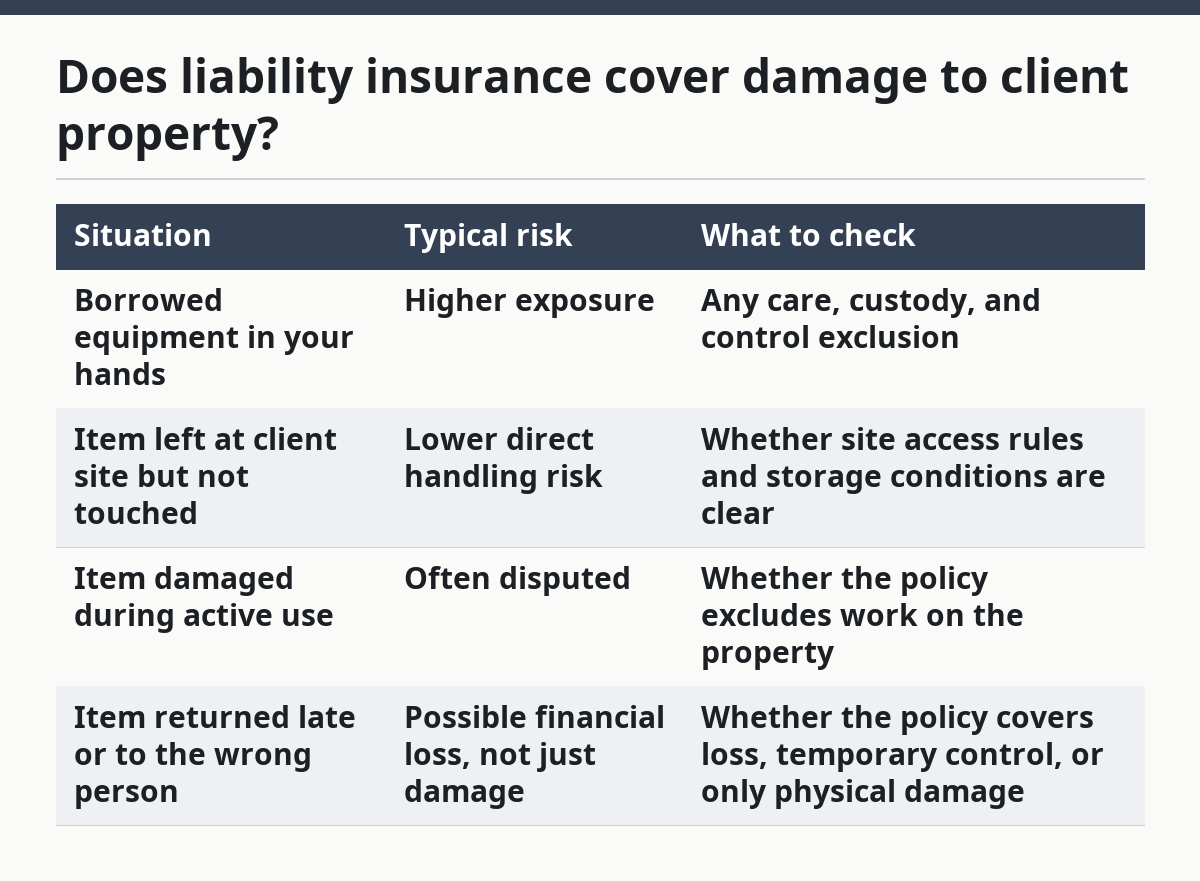
| Situation | Typical risk | What to check |
|---|---|---|
| Borrowed equipment in your hands | Higher exposure | Any care, custody, and control exclusion |
| Item left at client site but not touched | Lower direct handling risk | Whether site access rules and storage conditions are clear |
| Item damaged during active use | Often disputed | Whether the policy excludes work on the property |
| Item returned late or to the wrong person | Possible financial loss, not just damage | Whether the policy covers loss, temporary control, or only physical damage |
When should you stop and get qualified help?
You should stop and get qualified help when the property exposure no longer looks routine. Some jobs are simple; others sit close to the edge of your policy terms or the client’s own insurance rules. When the consequences can run beyond a small repair, guessing is a bad plan.
The item is high-value or hard to replace: that means a small mistake can turn into a large claim — if the value is material, consult the client’s insurer details and ask a qualified adviser how your policy treats that category.
The client requires you to sign a site contract: that means liability wording may have been changed by contract — have the contract reviewed before you agree to the work.
You must store the item overnight or over a weekend: that increases theft, fire, and transit risk — confirm whether your policy treats storage differently from active use and get professional help if the storage period is not short.
The item is already damaged: that makes it harder to prove what you caused versus what existed before — get the condition documented in detail before you touch it.
You are handling a prototype, one-of-a-kind item, or sensitive data-bearing device: that can trigger special exclusions or separate obligations — ask for policy review rather than assuming a standard form applies.
If the job depends on a promise that “the insurance will sort it out,” pause. Insurance does not erase the exposure created by poor handling procedures, and it does not fix a missing paper trail.
What mistakes cause the most trouble?
The most common mistakes are simple, and that is what makes them costly. They usually start with a rushed handoff and end with a claim that is difficult to support.
Skipping the baseline photo set: this leaves you without proof of pre-existing wear — use dated photos and a checklist before any work starts.
Assuming borrowed gear is automatically covered: this can lead to a denied claim if care, custody, and control applies — read the exclusion, not the marketing name on the policy.
Leaving client property in open reach at a client site: this increases theft, breakage, and blame — store it where only approved people can access it.
Using the item outside the agreed scope: this can void the client’s approval and complicate coverage — get written permission for every material change in use.
Returning the item without a receipt or sign-off: this creates a gap if the client later claims a missing part — get an acknowledgment at handoff.
The correct alternative is a short routine you can repeat: permission, condition, photos, handling rules, storage rule, return sign-off. That routine is boring, but boring is what holds up when a dispute starts.
What changes on a client site?
A client site changes the risk because you may be working under someone else’s rules, not your own. Access badges, shared rooms, security logs, and house procedures can all affect liability exposure. A 15-minute setup can create more risk than a half-day office task if the site rules are unclear.
The first thing to check is who can touch the property. If the item can be moved only by the client, say so in writing. If it must remain in a locked room, note who controls the key and what happens if that person is absent. If you need to leave it unattended for even 5 minutes, treat that as part of the handling procedure, not an afterthought. Because of that, the site rule should be written before the item is set down.
Site rules can also change what counts as reasonable care. A clean bench, a padded case, or a locked cabinet may be enough in one setting and not enough in another. If the client site is busy, dusty, wet, or public-facing, the handling procedure should get stricter, not looser. For a freelancer who manages liability exposure when they use client property, the site context is part of the risk, not a side note.
How do you document the condition before using it?
You document the condition by creating a simple before-and-after record that a third party could follow. Start with the property condition checklist, then add photos, the date, the time, and the name of the person who approved the handoff. The goal is to show the item’s state before your work begins.
A good record names the item, lists obvious wear, notes missing accessories, and states where the item was kept. If the item has a serial number, include it. If the item is already damaged, write that down plainly instead of describing it in vague language like “used condition.” Vague wording invites disagreement.
The standard changes a little for fragile, high-value, or multi-part items. In those cases, document each part separately and include the return condition as well. For a freelancer using client property, the safest rule is simple: if you would struggle to explain it to a claims handler in 30 seconds, write it down now. That is why the checklist should be completed before movement begins.
Does liability insurance cover damage to client property?
It can, but not always, and the care, custody, and control exclusion is the usual reason. General liability insurance may respond to some accidental damage, but property you are holding, using, or storing may fall outside coverage. Read the policy wording and speak with a qualified adviser for your own case. The insurance term is important because it often decides whether a claim is paid.
What is care custody and control?
Care, custody, and control is a policy term that refers to property you are directly holding, using, storing, or supervising. It matters because many liability policies limit or exclude damage to property in that position. If client property is in your hands or under your direct responsibility, the exclusion may apply.
How do I document client property before using it?
Use a property condition checklist, take dated photos, and record the item’s make, model, serial number, and visible damage before work starts. Get written permission for the handling, storage, and return steps. If the item changes hands on a client site, keep a sign-off at both handoff and return.
Drafted with AI; not yet reviewed by a person.
