

Last updated: November 19, 2026
Key Takeaways
- Ask the carrier for a named-insured endorsement to add the new policyholder.
- Put the request in writing and wait for the endorsement before treating it as complete.
- Check the business structure, policy wording, and timing before you send anything.
- A standard endorsement may not fit an ownership change, contract issue, or coverage redesign.
A freelance insurance policy can usually be updated by asking the carrier for a policyholder endorsement and sending the person’s details. How to Add a New Policyholder to Freelance Insurance Policyholder Update is the process of asking for that endorsement, and the carrier decides whether the new person can be added as a named insured. The policy may change after the endorsement is issued.
The steps below show what to ask for, what to send, and what to check before the change is final.
Who this applies to, and what it assumes you already have
This applies if you already have a freelance business policy and want to add a person or business entity to it as a named insured or, in some cases, through another policy endorsement. It assumes you have the policy number, the insurer’s name, and a reason for the change, such as a co-owner joining the business or a legal name change.
This is information, not financial advice. Insurance rules, endorsement forms, and premium effects vary by country and carrier, so a qualified adviser should review your own setup if the policy protects business income, client work, or liability. The wrong change can leave the policy wording out of sync with the business records. Consult a licensed insurance professional if the policy protects business income, client work, or liability. Bad fit. For general policy language, see the NAIC Consumer Insurance Information page and the Insurance Information Institute glossary.
Before you start, have these items ready:
- The exact legal name of the person or entity
- The policy number
- The business name on the policy
- Any date the change should take effect
- A copy of the business registration or ownership record, if the carrier asks for it
A freelancer policy is often tied to a single owner. If you are adding a partner, spouse, LLC member, or company name, the insurer may treat that as more than a simple update. Consult a qualified adviser if the change affects ownership or entity structure, because the carrier may need more than a basic endorsement. NerdWallet’s business insurance overview explains why carrier rules vary.
How do you add a new policyholder to a freelance insurance policy?
You add a new policyholder by asking the insurance carrier to issue a policy endorsement that changes the named insured on the policy. The carrier will usually ask for written details, verify the ownership change, and send updated policy papers once the request is approved.
Here’s the catch: “add a person” can mean different things. A freelancer might mean adding an assistant to a certificate, adding a client as an additional insured, or adding a business partner as a named insured. Those are not the same thing, and the carrier will process them differently.
The step-by-step carrier request process
Picture this: you’re trying to fix the policy before a client asks for proof of coverage or before a partner starts billing under the business name. The cleanest path is to make the request in writing, use the carrier’s wording, and wait for the endorsement before you treat the change as done. Consult a licensed insurance professional if the carrier’s wording is unclear, because endorsement rules vary by insurer.
- Identify the exact change. Decide whether you need a named insured change, an additional insured endorsement, or a certificate update. Verify the policy form says the right person or entity type. If the request is vague, the carrier may make the wrong change.
- Gather the legal details. Collect the full legal name, business entity type, mailing address, tax or registration details if requested, and the effective date. Verify every field matches official records. A nickname, trade name, or missing suffix can slow the endorsement or trigger a rejected request.
- Contact the insurance carrier or broker. Send the request through the channel the policy uses—portal, email, or service line. Verify you have a written record of the request. If there is no paper trail, you may not know when the change starts.
- Ask for the endorsement language. Request the exact wording the insurer will add to the policy. Verify whether the carrier is adding a named insured, an insured interest, or only a certificate note. If the wording does not match what you need, the policy may still leave the new person outside the core contract.
- Confirm any underwriting review. Some carriers will review ownership, claims history, or business structure before issuing the endorsement. Verify whether the file is pending review or already approved. If the carrier needs more documents and you miss the deadline, the change can sit unfinished.
- Check the effective date. Make sure the endorsement starts on the date you need, not the date you called. Verify the new date appears on the updated paperwork. A mismatch can leave a gap, even if the request was accepted the same day.
- Review the revised declarations page. The declarations page, or dec page, is the summary sheet that names the insureds and policy basics. Verify the new policyholder appears exactly as requested and that the policy number is unchanged unless the carrier says otherwise. If the dec page still lists the old setup, the endorsement is not finished.
- Save the endorsement with the policy file. Keep the endorsement, dec page, and carrier email together. Verify you can send them quickly if a client, landlord, or lender asks. If the papers are scattered, you will waste time proving the change later.
The best part is that this process is simple when the request matches the policy structure. The hard part is not the form. It is using the right insurance term so the carrier does the right work.
What should you check before you ask the insurer to change the policy?
You should check the business structure, the policy wording, and the timing before you send the request. A policyholder change can affect who is covered, who can make claims, and who has authority to manage the policy.
Start with the policy itself:
- Does the policy list one person or a business entity?
- Does it name a sole proprietor, LLC, partnership, or corporation?
- Does the person you want to add already appear anywhere else in the policy file?
- Does the business registration match the policyholder name?
If the policy is written to a sole proprietor and you now have a partner, the carrier may need a new named insured structure, not a quick edit. That can trigger more questions than a certificate request. Not the same job.
You should also check whether the change is meant to be permanent or temporary. A permanent ownership change belongs in the policy record. A short-term proof-of-insurance need may only require a certificate update. Those are different tools, and mixing them up causes delays.
When does the standard approach not apply?
The standard endorsement request does not work when the policyholder change is really a business change, a contract issue, or a coverage redesign. In those cases, the carrier may need a new application, not just a policy endorsement.
The business has changed ownership: the policy may no longer match the real insured party — ask the carrier whether the old policy can be endorsed or whether a new policy is needed.
The new person is only a client: that usually calls for an additional insured endorsement or certificate update, not a named insured change — use the correct form.
The business is now a different entity: a sole prop, partnership, and LLC are not interchangeable — the insurer may need a new named insured and new underwriting review.
The policy has a pending claim: changing the named insured during a claim can complicate the file — pause and ask for the carrier’s instructions before changing anything.
The carrier asks for ownership proof: that means the insurer wants documents such as formation papers or an operating agreement — send the records before expecting the endorsement to issue.
If any of those apply, the shortcut is usually the wrong tool. A 10-minute form can turn into a full policy review fast.
The mistakes people actually make, and what they cost
Picture this: you think the change is done because a support email says “received,” but the endorsement never issued. That gap can matter if a claim, certificate request, or audit lands before the policy file is corrected.
Common mistakes include:
- Using the wrong term. If you ask to “add a policyholder” when you really need an additional insured endorsement, the carrier may process the wrong change. The fix is to name the exact policy role you need.
- Skipping the effective date. If you do not specify when the change starts, the insurer may use the date it processes the request. The fix is to state the date in writing.
- Assuming a certificate changes coverage. A certificate of insurance is proof, not the contract itself. The fix is to ask for an endorsement when the policy wording must change.
- Not checking the dec page. If you never review the revised declarations page, you may miss a typo or missing entity. The fix is to confirm the policyholder name line by line.
- Mixing business and personal names. If the policy is in one legal name and the request uses another, the carrier may delay or deny the update. The fix is to use the exact legal form of the name.
- Treating an endorsement as instant. Some carriers need underwriting review before they issue the change, so consult a licensed insurance professional if timing is critical. The fix is to ask what documents they need and wait for written confirmation.
Each of these errors is boring on paper and annoying in real life. They all come down to one thing: the policy file must match the real insured structure.
How long does it take, and what does a finished update look like?
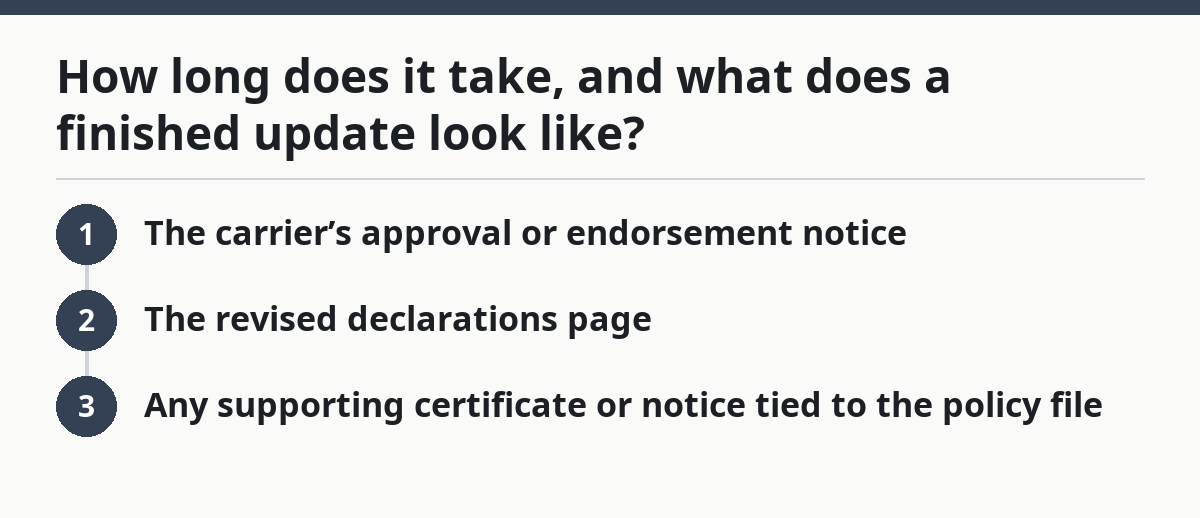
A clean policyholder endorsement can be handled quickly, but the timing depends on the carrier’s review process and whether the insurer needs extra documents. A finished update means the endorsement is issued, the declarations page is correct, and the policy file shows the new named insured details.
Do not treat the request as complete until you have all three: consult a licensed insurance professional if the carrier has not issued written approval.
- The carrier’s approval or endorsement notice
- The revised declarations page
- Any supporting certificate or notice tied to the policy file
If you only have an email saying the request was received, you do not yet have proof that the policy changed. That matters if the update is needed for a contract, lender, or business filing.
A good result looks plain on the page. The new name is spelled correctly, the role is right, the effective date is right, and the old paperwork is saved with the new paperwork. If any of that is missing, the file is not clean yet.
For a broader view of how freelance coverage is organized, see the hub page on [Freelancer Business Insurance Fundamentals].
What if the insurer says no?
If the insurer says no, the answer is usually to ask what part of the request failed and whether a different policy setup is needed. A denial does not always mean the business is uninsurable. It often means the policyholder change does not fit the current policy form.
Ask for the reason in writing. Then check whether the issue is one of these:
- The named insured does not match the legal business entity
- The requested person is not an eligible policyholder under that contract
- The carrier needs additional underwriting information
- The request belongs on a new policy rather than an endorsement
If the carrier will only add the person as an additional insured, that may solve a certificate need but not a true ownership change. On the flip side, if the business entity has changed, a simple endorsement may not be enough. The policy form has to match the business facts.
Can I add someone to my policy after it starts?
Yes, you can often add someone after the policy starts by requesting a policy endorsement from the carrier. The insurer will usually review the request, confirm the role of the new person or entity, and issue updated paperwork if it approves the change.
The key issue is not the start date alone. It is whether the new person should be a named insured, an additional insured, or just listed on a certificate. Those are different changes, and the carrier may need different documents for each.
Does adding a policyholder change my premium?
It can, because the insurer may treat the new policyholder as a change in ownership, risk, or business structure. The carrier may also ask for new underwriting details before it decides whether the premium changes.
There is no universal rule here. Some changes are administrative, while others affect the policy’s rating or eligibility. The only reliable answer is the one the carrier gives after reviewing the endorsement request.
What information does the insurer need to add a person to a policy?
The insurer usually needs the legal name of the person or entity, the policy number, the business name, the effective date you want, and any ownership or registration proof the carrier asks for. It may also want the reason for the change and the updated contact details.
If the request changes the named insured, be ready for more questions than a certificate request would trigger. The carrier may need formation papers, an operating agreement, or other business records before it can issue the endorsement.
A short checklist helps:
- Exact legal name
- Policy number
- Business entity type
- Desired effective date
- Supporting business documents, if requested
That is usually enough to start the carrier request process without sending back-and-forth emails for a week.
Drafted with AI; not yet reviewed by a person.
