

Last updated: November 25, 2026
Quick Answer: Start by checking 2 policies: professional liability insurance and cyber liability insurance. If you handle client data but not payments, that is usually the right first step for How to Insure Freelance Work Involving Client Data but No Payment Processing. This is information, not financial advice; the right setup depends on the contract, the data type, and your country’s rules, so a qualified adviser should review your own situation.
Key takeaways
- Client data can create insurance needs even when no card payments ever touch your work.
- A contract that mentions confidentiality, privacy, or breach response can matter as much as the type of file you hold.
- Professional liability and cyber liability do different jobs; one does not replace the other.
- The risk is usually lower than for payment-card work, but it is not zero if files sit in email, cloud storage, or shared drives.
- The right question is not “Do I take payments?” but “What data do I keep, where does it live, and what does my contract require?”
Who this applies to
This applies to freelancers who receive, store, edit, or send confidential information such as drafts, reports, HR files, contact lists, health-related records, or other client data, but do not handle card payments through their own systems. It assumes you already know what kind of work you do and where the files live, such as email, laptop storage, or cloud drive.
However, the main distinction is simple: payment processing creates one kind of exposure, while client data handling creates another. A freelancer who never touches card numbers can still face a data breach claim if a file is exposed, forwarded to the wrong address, or taken from a shared account.
This page is for people trying to understand the insurance shape of that risk, not to decide a legal case. If your work involves regulated records, large volumes of personal data, or a contract with strict security terms, the safe move is to get a qualified adviser to review the policy language before you rely on it.
What insurance does client data work usually point to?
Usually, client data work points first to professional liability insurance, then sometimes to cyber liability insurance. Professional liability insurance is the policy people often use for claims that your work caused a client loss through an error, omission, or failure to meet a professional duty. Cyber liability insurance is the policy more tied to data events, such as unauthorized access, loss of confidential files, or incident response costs.
Because payment processing is not the main exposure here, the question is narrower. A freelancer who only edits documents or manages project files may still have privacy exposure, but the loss is usually about confidentiality, access control, or a mistaken send, not card fraud. That makes the insurance question narrower, not smaller.
A useful way to think about it is this:
| Policy type | Main job | Typical fit for data-only freelance work | Main limit |
|---|---|---|---|
| Professional liability | Work mistakes and missed duties | Often relevant if a client blames bad handling of confidential work | May not cover all privacy or breach costs |
| Cyber liability | Data breach and privacy events | Often relevant if you store or transmit client data | May not cover pure professional mistakes |
| Both together | Mixed work and data exposure | Often relevant when one mistake can become both a client dispute and a privacy claim | Costs and wording can be more complex |
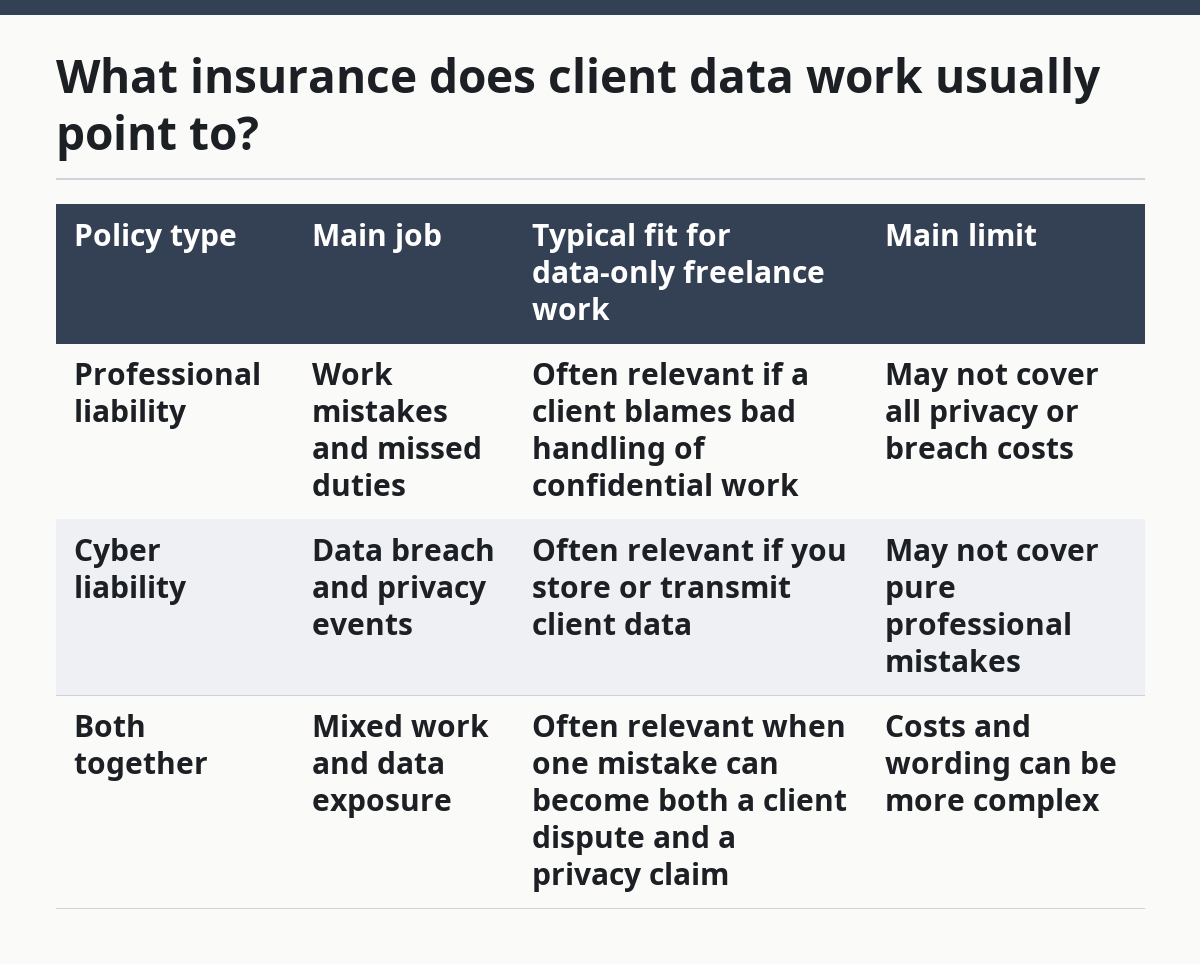
That split is why a generic “liability policy” answer is incomplete. A contract can trigger one policy, a privacy incident can trigger another, and some claims touch both.
How do I set this up?
Set this up by mapping the data, checking the contract, and matching the policy wording to the real workflow. The steps below are the practical sequence a freelancer can use before asking for a quote or reviewing an existing policy.
- List every kind of client data you handle. Write down the categories in 5 minutes or less: names, emails, invoices, drafts, confidential notes, employee records, or files marked private. Verify whether any item is sensitive or regulated. A problem sign is “I’m not sure what’s in the folder,” because unknown data is where coverage gaps start.
- Trace where the data lives. Note each place it sits: laptop, phone, shared drive, email, password manager, or cloud storage. Verify who can access it and whether 2-factor authentication is on. A problem sign is a shared login, because one weak account can expose the whole chain.
- Read the confidentiality and privacy clauses in the client contract. Look for wording about confidential information, security controls, breach notice, retention, and indemnity. Verify whether the contract requires insurance by name, such as cyber liability or professional liability. A problem sign is a clause that promises coverage you do not actually have.
- Separate work mistakes from data events. Ask which of your risks is more likely: sending the wrong version, missing a deadline, or exposing a file. Verify whether the policy language mentions privacy liability, media liability, network security, or electronic data loss. A problem sign is a policy that only talks about “professional services” with no privacy wording.
- Check how the policy treats subcontractors and tools. If another freelancer, assistant, or software service touches the files, confirm whether that use is covered. Verify any required security controls, even if they are basic. A problem sign is a policy that excludes third-party handling while your work depends on it; a qualified insurance adviser can confirm how that applies to your workflow, and the FTC’s data-security guidance explains why access control matters.
- Match the insurance to the contract duty. If the contract focuses on confidentiality, the policy should speak to privacy or data events, not just negligence. Verify that the policy does not exclude loss of client files or electronic data in a way that breaks the fit. A problem sign is a mismatch between what the client expects and what the policy actually names.
- Check the incident response wording. Many cyber policies discuss breach response, notification, forensic review, and credit-monitoring-type costs in broad terms. Verify which costs are actually listed and which are excluded. A problem sign is assuming every data problem gets the same handling; policy wording can be much narrower than the marketing language.
- Review the limits and exclusions before renewal. Limits, deductibles, and exclusions differ by insurer and country, and they change over time. Verify whether the policy covers off-site storage, portable devices, or unencrypted transmission if those are part of your workflow. A problem sign is relying on last year’s wording after your work process changed.
One good source for the terminology behind this split is the U.S. Federal Trade Commission’s guidance on data security and privacy basics, and another is the International Organization for Standardization’s security standard family, especially ISO/IEC 27001. Those are not insurance policies, but they explain why insurers care about access control, retention, and incident handling. For example, the FTC and ISO both point to basic safeguards that matter when files move across email, cloud tools, and shared accounts.
Which policy covers which risk?
However, which policy covers which risk depends on whether the claim is about your work quality or about the data event itself. A claim that you missed a file handoff date points more toward professional liability, while a claim that confidential files were exposed points more toward cyber liability.
This is where generic advice often gets it wrong. A freelancer can have no payment processing at all and still need cyber coverage if client files sit in cloud storage, because the exposure is about confidentiality and breach response, not card fraud. The reverse also happens: some freelancers have data-heavy work but do not need a broad cyber policy if their contracts, tools, and exposure are very limited.
The cleanest way to compare the two is this:
- Professional liability focuses on the service result.
- Cyber liability focuses on the data event.
- Confidential information can sit in either bucket, depending on the claim.
- A data breach can trigger both if the client says the loss caused financial harm and privacy harm.
The phrase “confidential information” also matters because contracts often define it more broadly than law does. That means a policy that ignores the contract definition may leave a gap even when the business feels small.
When should I stop and get help?
Therefore, you should stop treating this as a simple self-check when the data, contract, or workflow crosses certain lines. In those cases, the question is no longer “Do I need a policy?” but “What wording fits the risk and the contract I signed?”
You handle regulated records: This means the file set may be governed by special rules, not just ordinary confidentiality — get a qualified adviser to review the policy and the contract before relying on either.
The client contract names insurance by type: This means the contract may require a specific form of coverage or proof — do not assume a general liability policy is enough.
You store files in multiple cloud tools: This means the exposure is spread across systems and vendors — a qualified adviser should review whether the policy treats each system as covered or excluded, and the FTC’s guidance on securing data across systems is a useful reference.
You use subcontractors or virtual assistants: This means another person can create a privacy event on your behalf — confirm whether their actions are included or whether you need separate controls in the contract.
You have no written security controls: This means the insurer may see weak practices as a coverage problem or a pricing problem — add basic controls first, then review the policy wording.
You already had a privacy incident: This means the next policy conversation may be shaped by prior events — get help before assuming a new application will look the same as the old one.
A simple rule helps here: if the issue needs more than a single yes-or-no answer, it is no longer a quick consumer check. That is especially true for money, privacy, and contract risk.
What mistakes do freelancers make?
Freelancers usually make the same 5 mistakes with client-data coverage, and each one creates a different gap.

They assume “no payments” means “no cyber risk.” The consequence is missing coverage for file exposure, email mistakes, or cloud account access. The better move is to map the data path, not the payment path.
They read only the policy title. A policy called “general liability” or “professional liability” may not cover privacy events at all. The better move is to read the insuring agreement and exclusions, even if it takes 15 minutes.
They ignore contractual confidentiality clauses. The consequence is a mismatch between what the client expects and what the policy actually responds to. The better move is to compare the clause against the policy wording before work starts.
They forget about devices and email. A laptop, phone, or shared inbox can create the event without any payment system involved. The better move is to treat each device and account as part of the exposure map.
They rely on security habits instead of policy wording. Good habits matter, but they do not replace coverage. The better move is to use controls like access limits and 2-factor authentication, then verify the insurance still matches the remaining risk.
A policy is not a substitute for careful handling, and careful handling is not a substitute for a policy. Both matter, and neither removes the other.
What if the work is low-risk but the files are confidential?
Overall, low-risk work can still need insurance if the files are confidential, even when there is no card data or e-commerce exposure. The issue is not the size of the business; it is whether a mistake could expose information the client expected to stay private.
That said, not every freelancer needs the same level of coverage. A person who receives one set of PDFs a month has a different risk profile from someone who stores repeated batches of personal data in a shared folder. The right answer depends on volume, storage, access, and contract wording, not on the word “freelance” alone.
For a quick screen, ask four questions: Do I hold the file for more than a day? Is it stored in more than one place? Can anyone else access it? Does the contract mention confidentiality or breach notice? If the answer is yes to several of those, the insurance question deserves a closer read.
For a broader map of gap types, the hub on Freelance Insurance Coverage Gaps and Risk Scenarios sits next to this article for a reason.
Do I need cyber insurance if I do not process payments?
In short, you may still need it if your work involves storing, sending, or syncing client files. The absence of payment processing lowers one kind of risk, but it does not erase the risk of a data breach, accidental disclosure, or account compromise.
Cyber liability is usually more relevant when your work depends on email, cloud storage, shared drives, or any system that can expose confidential information. If your data exposure is tiny and your contract is simple, professional liability may matter more than cyber. If the files are sensitive, cyber wording deserves a closer look.
Does handling client data require a cyber policy?
In particular, handling client data does not automatically require a cyber policy, but it often makes one worth checking. The trigger is usually the combination of data type, storage method, and contract language, not the label “client data” by itself.
If your work only touches a few low-sensitivity documents and the contract is light, the need may be limited. If you store confidential files, use shared cloud tools, or promise privacy terms in writing, a cyber policy may fit the exposure better than a general policy alone. Country rules and policy forms differ, so the wording matters. For that reason, the FTC’s consumer guidance and ISO/IEC 27001 are useful references when you compare controls to policy language.
What if I store confidential files but not card data?
Because confidential files are still data, the insurance question usually shifts from payment risk to privacy and professional duty risk. That means the main concern is how a file could be exposed, mishandled, or disputed, not whether card numbers are stolen.
In that setup, professional liability and cyber liability can both be relevant, but for different reasons. The contract, the storage method, and the type of confidential information decide which one deserves more attention. A qualified adviser should review your own situation before you rely on any policy wording.
Drafted with AI; not yet reviewed by a person.
