

Last updated: November 23, 2026
Quick answer: In 3 steps, fix What to Do When a Client Rejects Your Certificate of Insurance by matching the rejection note to the contract, checking the policy or certificate of insurance, and asking your broker for the corrected form or missing additional insured endorsement. A client rejects your certificate of insurance because something on it does not match what they asked for, what their contract says, or what their insurer will accept. **The fix is usually to find the exact reason, ask your broker for a corrected certificate or the missing endorsement, and send a clean follow-up with the corrected wording.** This is information, not financial advice; insurance terms vary by country and policy, so a qualified adviser should review your own situation.
Key takeaways
- A rejected certificate is usually a wording, naming, or endorsement problem, not a mystery.
- The fastest fix is often to match the client’s written requirement line by line against the policy and certificate.
- A certificate alone often is not enough when the client wants additional insured status.
- Small errors, like a misspelled legal name, can trigger a fresh review.
- If the policy cannot support the wording, the issue moves from correction to negotiation.
What does a rejection usually mean?

A rejection usually means the client found a mismatch between the certificate of insurance and the requirement they set out in the contract, vendor form, or onboarding packet. In practice, that mismatch is often one of three things: the wording on the certificate, a missing additional insured endorsement, or a name that does not match the client’s records.
A certificate of insurance is a summary document, not the insurance policy itself. That matters because many clients want the certificate to prove something the certificate cannot prove on its own. If the client asked for “additional insured,” for example, the certificate may need the actual endorsement reference, not just a note on the form. If the legal entity name is off by even one word, the client may reject it and ask for a new copy.
According to the NAIC and IRMI, a certificate is evidence of coverage, not the policy itself. That distinction matters in practice. A rushed resend can make the same mistake look deliberate, and that can slow approval by days or longer. A clean rejection response should identify the problem, not argue with the client about whether the certificate “should have been enough.”
How do I fix a rejected certificate step by step?
You fix a rejected certificate by tracing the problem from the client’s rejection note back to the exact policy wording and then asking the broker for a corrected document or endorsement. Start with the client’s written rejection, not a phone summary, because the wording usually tells you what failed.
- Pull the exact rejection note or email. Save the client’s message and the original certificate in one folder, then note the reason in a single line. Verify whether the client named a missing endorsement, a name mismatch, or an expired policy date. If the note is vague, the problem is that you do not yet know what to correct.
- Compare the certificate against the contract or vendor form line by line. Check the client name, policy number, insurer name, coverage type, effective dates, and any special wording. Verify that the legal entity name matches exactly, including suffixes such as LLC or Inc. If one field differs, the certificate may be rejected again.
- Check whether the issue is a certificate problem or a policy problem. A certificate can often be corrected in minutes, but policy wording may require broker action. Verify whether the client is asking for simple proof of coverage or for an additional insured endorsement, waiver of subrogation, primary and noncontributory wording, or another policy term. If the request depends on the policy itself, a certificate-only fix will fail.
- Ask your broker for the right document, not a duplicate. Send the rejection note and the exact wording the client wants. Verify whether the broker can issue a corrected certificate, an endorsement page, or both. If the broker sends the same certificate with no changes, the problem is still open.
- Check the formatting before you resend it. Look for dates, carrier names, insured names, and any certificate holder details that should stay unchanged. Verify that the form is readable, complete, and not missing pages. A broken file, cropped signature block, or blurry scan can be rejected even if the wording is correct.
- Resend with a short explanation of what changed. State that the certificate was corrected and name the change in plain language. Verify that you attached the revised certificate and any endorsement the client asked for. If you resend without naming the correction, the client may have to compare both versions side by side.
- Confirm acceptance in writing. Ask the client to confirm that the corrected certificate meets their requirement. Verify that the client’s reply refers to the same project, contract, or vendor record. If they reply with a new issue, consult a professional and treat it as a fresh correction request rather than an approved file; NAIC guidance and broker review can help when the request changes.
The core task is to move from guesswork to line-by-line matching. A certificate rejection is rarely solved by “sending it again”; it is solved by changing the specific item the client flagged.
Why was the certificate rejected?
The certificate was usually rejected because the client’s requested wording did not match the certificate, the policy, or their internal checklist. That can happen even when the insurance itself is in force.
Here is the difference between the most common reasons and the usual fix:
| Rejection reason | What it usually means | What to check | Usual fix |
|---|---|---|---|
| Name mismatch | The legal entity name on the certificate does not match the client record | Exact business name, suffix, and spelling | Issue a corrected certificate |
| Missing endorsement | The client wants protection that requires a policy endorsement | Endorsement page or policy wording | Ask the broker for the endorsement |
| Formatting error | The form is incomplete, blurry, or missing a page | All pages, file quality, dates | Reissue the certificate file |
| Wrong policy detail | The certificate lists the wrong carrier, policy number, or effective date | Policy declarations page | Correct the source data first |
| Special clause missing | The client asked for wording the certificate cannot create alone | Contract language and policy terms | Use the proper endorsement or explain the limit |
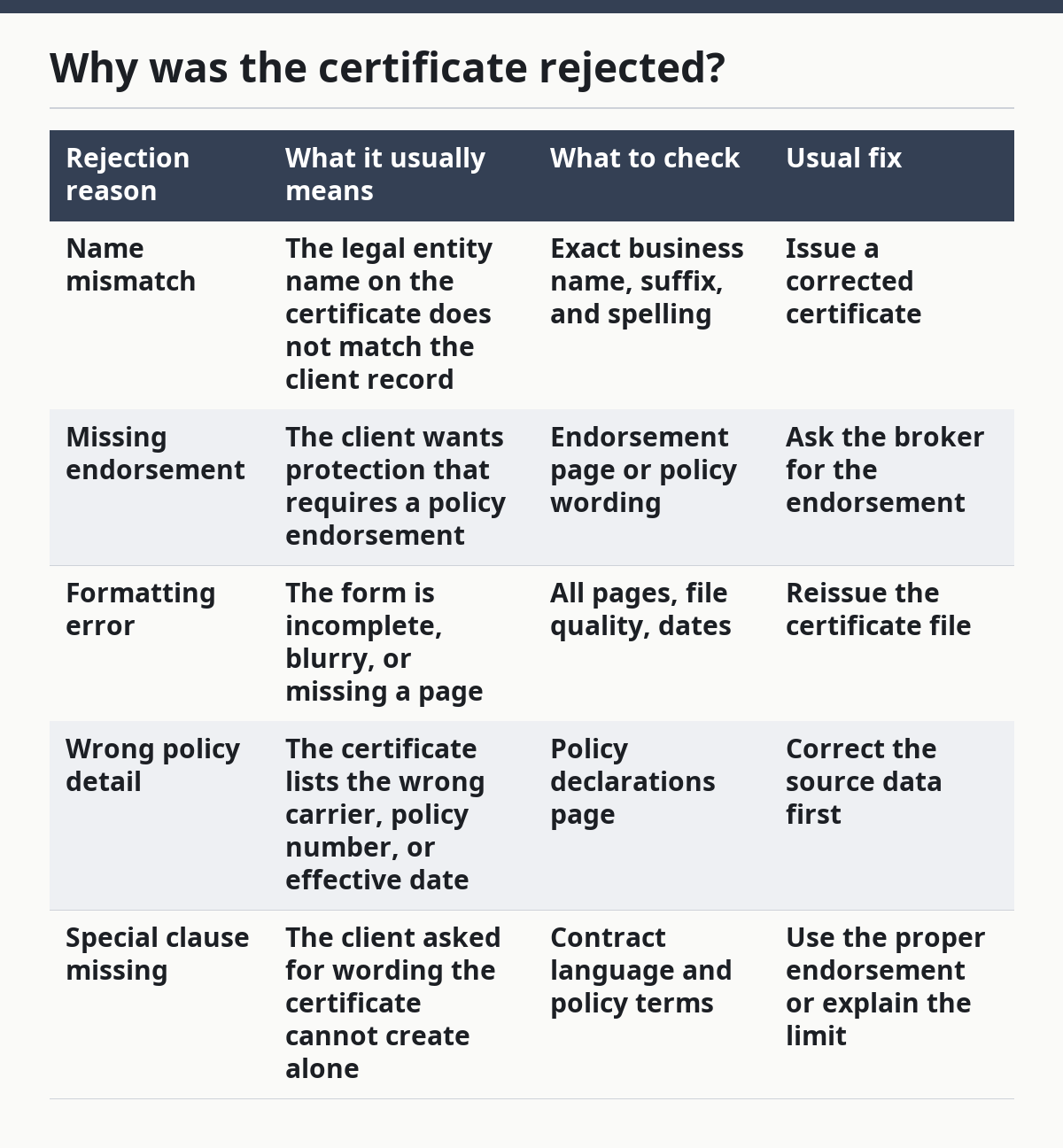
A lot of rejections come down to one issue: the client is checking for proof of a policy feature, but the certificate only summarizes coverage. That gap is why the broker matters. The broker can usually tell whether the request can be supported by the existing policy or whether the policy wording does not allow it.
The most expensive mistake is often treating every rejection as a clerical error. Sometimes it is only a typo. Sometimes it is a sign that the requested wording was never on the policy in the first place; a broker or qualified adviser should review those cases before you resend.
What should I check before I send it back?
You should check the client’s requirement, the policy details, and the certificate format before you resend anything. A 5-minute review can prevent another rejection cycle.
First, confirm the client’s exact name and mailing details as they appear in the contract or portal. A “doing business as” name may not be enough if the client wants the legal entity name. Second, check that the coverage dates cover the period the client asked about, not just the date you sent the form. Third, verify whether the client asked for an additional insured endorsement, because the certificate itself does not create that status.
Also check for policy wording that sounds close but is not the same. “Certificate holder” is not the same as “additional insured.” “Included on certificate” is not the same as “named on endorsement.” That difference is often the reason a client refuses to accept the form.
If the client uses a standard vendor packet or portal, make sure your corrected file matches that format. Some clients reject files that are technically correct but missing a required page, box, or attachment. When in doubt, follow the client’s stated checklist rather than assuming the certificate form alone will pass review.
When should I stop and get help from the broker?
You should stop and involve the broker when the rejection turns on policy wording, an endorsement, or a conflict between the client’s demand and the actual policy. This is the point where a certificate correction stops being a clerical task and becomes a policy review.
The client wants an additional insured endorsement, not just a certificate: that usually means a policy change or endorsement issue, not a form edit — send the request to the broker and wait for the proper endorsement page.
The legal name on the policy is different from the client’s contract name: that can create a mismatch the certificate cannot fix by itself — ask the broker whether the insured name can be corrected on the policy record.
The client is rejecting the wording again after one correction: repeated rejection usually means the underlying requirement is still not met — compare the contract clause and the policy wording before sending another version.
The certificate shows the wrong effective dates or carrier information: that suggests the source data is wrong, not just the certificate — have the broker verify the declarations page and reissue from the correct policy record.
The client asks for wording that does not appear on the policy: a certificate cannot create coverage that the policy does not grant — pause and get a qualified adviser or broker to review the request before you answer, using the policy form and the carrier’s records as the source.
There is one honest limit here: if the client’s demand and the policy terms do not line up, a certificate correction will not solve the problem. That is not the right tool, and pushing harder can waste time for both sides.
What mistakes keep this problem going?
The mistakes that keep a rejected certificate stuck are usually small, repeatable, and avoidable. Each one can turn a simple correction into a back-and-forth that lasts several messages.
First, people resend the same file with a new subject line. The result is another rejection, because nothing changed. The correct move is to change the actual wording or attachment, not the email title.
Second, they fix the certificate but forget the endorsement. The client accepts the corrected form as proof of filing, then rejects it again when the requested policy feature is still missing. The correct move is to send both documents when the client asked for both.
Third, they use the common name instead of the legal name. That can break vendor onboarding and contract compliance even when the business is clearly the same. The correct move is to copy the name exactly as shown in the contract or policy record.
Fourth, they reply before reading the rejection note carefully. The result is a correction to the wrong field, which wastes another round. The correct move is to identify the exact problem before asking the broker to change anything.
Fifth, they assume the certificate is enough for every request. That can be costly when the client wants something that only an endorsement can show. The correct move is to separate certificate wording from policy wording before you send the file.
What if the rejection does not fit the usual pattern?
A rejection does not fit the usual pattern when the client’s request is about timing, file control, or a special contract clause rather than a normal certificate field. In those cases, the correction workflow changes.
If the client is asking for a future effective date, the issue may be that the certificate cannot show coverage that has not started. If the client rejects a PDF because it is not the file type they use internally, the problem is format rather than insurance content. If the client wants a clause that appears in their own agreement but nowhere in your policy, the issue is not a certificate error at all.
Because of that, these cases need slower handling and cleaner communication. Send the exact file the client requested, but do not guess at wording that the policy does not support. If the request conflicts with the policy, the broker should review it before another certificate goes out.
For broader insurance administration tasks, the related guide on freelance insurance policy administration supports this workflow and helps keep the record clean across more than one client file.
FAQ
Why would a client reject a certificate of insurance?
A client rejects a certificate of insurance when it does not match what they asked for in their contract, vendor form, or internal checklist. The most common reasons are a name mismatch, missing endorsement, wrong dates, or incomplete formatting. A certificate can also be rejected when it proves coverage generally but does not show the specific policy wording the client needs.
Can a certificate be corrected after rejection?
Yes, a certificate can often be corrected after rejection if the issue is a wording, formatting, or naming problem. If the client wants an additional insured endorsement or another policy change, the broker may need to issue more than a revised certificate. The fix depends on whether the problem is on the form or in the policy itself.
What should I send if a client says the certificate is wrong?
Send the corrected certificate, the missing endorsement if one is required, and a short note that explains what changed. The note should point to the exact correction, such as the legal name, the policy date, or the endorsement reference. If the client asked for something the policy does not support, pause and get the broker to review it first.
Drafted with AI; not yet reviewed by a person.
