
Last updated: November 24, 2026
Use a certificate tracking log with one renewal calendar, one client list, and one compliance log. Put every certificate of insurance in the same place, record the expiration date as soon as the client asks for proof of insurance, and set reminders before the date arrives. This is information, not financial advice; a qualified adviser should be consulted for your own situation.
Key takeaways
- Keep one master list instead of scattered notes, inbox searches, and phone reminders.
- Record the client name, certificate type, expiration date, and renewal contact in the same row.
- Set at least two reminders before each expiration date so you have time to renew.
- Treat the certificate tracking log as a compliance tool, not a filing cabinet.
- Use a backup copy so one lost device does not erase your recordkeeping.
What is the simplest way to track it?
The simplest way to track certificate expiration dates is to keep one certificate tracking log and update it every time a client requests proof of insurance. That log should show the client list, the certificate of insurance, the expiration date, and the next renewal date in one place.
This matters because certificates expire on the date printed on the document, not when the work ends. If you wait for a client to ask again, you may find out too late that the certificate has lapsed. A basic spreadsheet, a dated calendar, or a project tracker can work if it shows the same details every time.
If the client requires proof of insurance for a contract, treat the expiration date like a deadline, not a reminder to “deal with it later.” The goal is not fancy software. The goal is a system that makes the next renewal visible in 10 seconds or less.
How do I set up a certificate tracking log?
Set up a certificate tracking log by entering each client once and using the same fields for every certificate. A clean format matters more than the tool, whether that tool is a spreadsheet, a calendar, or a simple compliance log.
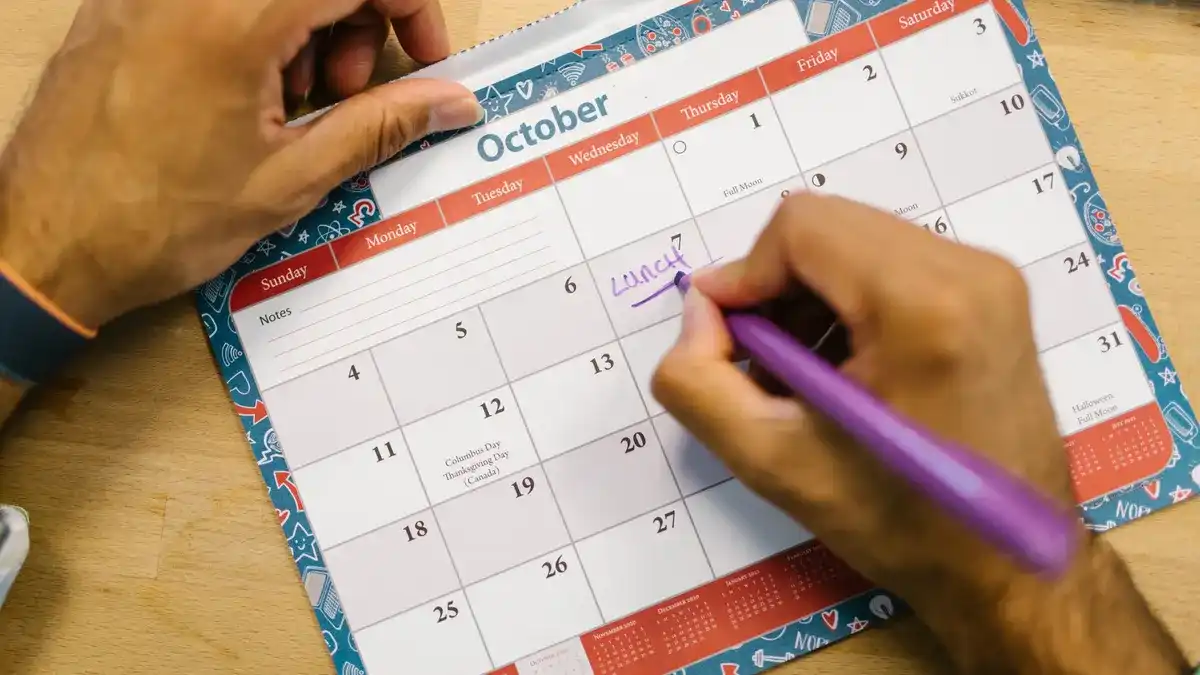
- Open a spreadsheet and create columns for client name, certificate type, expiration date, renewal date, contact email, and status; verify each row holds one client; a problem is mixing several certificates in one cell.
- List every active client in the first column; verify no current client is missing; a problem is leaving out a small retainer or one-off project that still needs proof of insurance.
- Record the expiration date exactly as shown on the certificate of insurance; verify the month, day, and year match the document; a problem is copying the wrong year from an old file.
- Add a renewal date 30 days before expiration, or earlier if the client asks for advance notice; verify the date gives enough time to send updated proof; a problem is setting the reminder on the expiration date itself.
- Note the insurance contact for the client or broker in a separate column; verify the email address and phone number are current; a problem is searching an old inbox thread when time is short.
- Color-code the status with a simple rule such as green for active, yellow for due soon, and red for expired; verify the color matches the date, not your memory; a problem is using colors without updating them.
- Back up the file in one second location; verify you can open the backup on another device; a problem is keeping the only copy on a laptop that might fail or disappear.
The key check is whether the log answers three questions fast: who needs the certificate, when it expires, and what needs to happen next. If it cannot answer those in one glance, it is too vague for compliance work.
Which reminders should I use?
Use at least two reminders for each expiration date: one early reminder and one short-notice reminder. A 30-day reminder and a 7-day reminder are common timing points because they leave room for renewal, corrections, and client review.
A calendar alert works well for the short-notice reminder because it shows up on the day you need to act. A task list works well for the earlier reminder because it lets you add steps such as checking the certificate renewal, confirming the policy details, and saving updated proof of insurance. If the reminders live only in email, they are easier to miss when the inbox fills up.
| Option | What it does well | Weak spot |
|---|---|---|
| Spreadsheet | Holds many clients, dates, and notes in one place | Needs manual updates |
| Calendar reminders | Pushes renewal dates onto your phone or desktop | Does not store full client details well |
| Compliance log | Creates a record of status, contacts, and follow-up | Takes discipline to maintain |
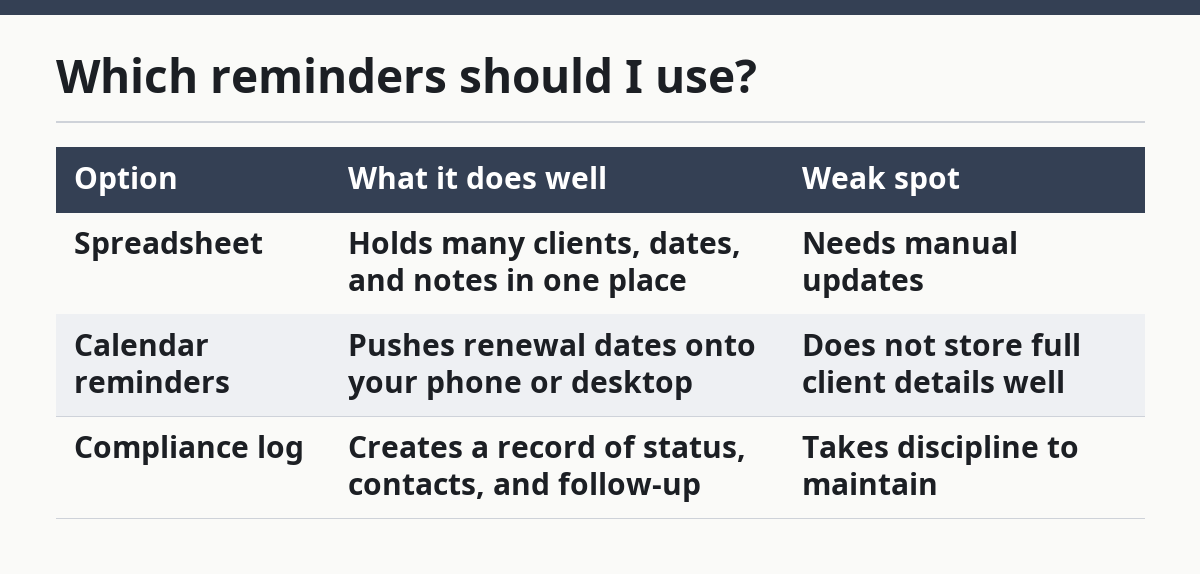
A good system usually uses all three in a small way: spreadsheet for the master record, calendar for alerts, and compliance log for status. If one tool fails, the other two still show the date.
What should go in the renewal calendar?
The renewal calendar should show the expiration date, the renewal date, and the client’s preferred contact path for every certificate. That way the calendar does not just warn you; it tells you what to do next.
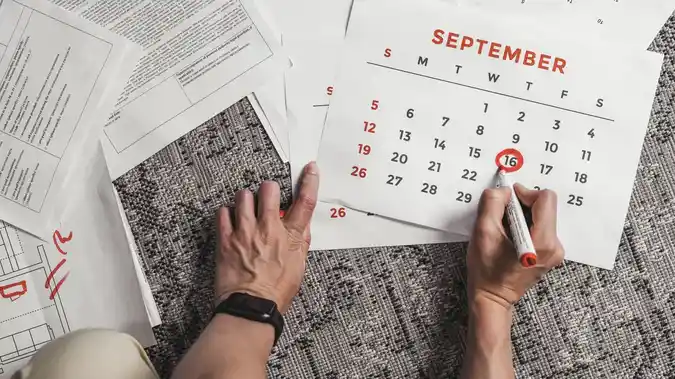
Use one calendar entry per certificate renewal, not one entry for the entire month. Add the client name in the title, then include the policy name, the certificate expiration date, and a note like “send updated proof of insurance.” If a client has several projects, separate them so one renewal does not hide another.
The calendar is also where you catch overlaps. If five certificates expire in the same 14-day stretch, you do not need five different systems. You need one clear calendar view and a task order. A monthly view helps spot clusters; a weekly view helps handle the actual follow-up.
When does this approach stop working?
This approach stops working when the client’s requirements are too complex for a simple log, or when the consequences of a missed date are too high for informal recordkeeping. The issue is not the spreadsheet itself; the issue is whether the process can still catch every renewal on time.
More than one policy type per client: it means one client may need several certificates and different dates — use separate rows for each policy so one expiration does not cover another.
Client requests proof on short notice: it means your renewal window is too tight — move the reminder earlier and keep the contact details current.
Multiple people update the log: it means errors can creep in through version conflicts — assign one owner for final updates and one backup copy.
No reliable access to your records while away from your desk: it means the system depends on one device — keep a cloud copy and a downloadable backup.
You cannot tell at a glance which certificates are current: it means the log has become a dumping ground — simplify the fields until status is obvious in under 10 seconds.
The client’s contract uses special wording: it means the certificate alone may not tell the whole story — review the contract terms before treating the date as the only issue.
For money and contract questions, a qualified adviser should be consulted for your own situation. A tracking system helps with recordkeeping, but it does not replace advice on contract terms, coverage, or compliance rules that can change by country and by client.
What mistakes do freelancers make?
The most common mistakes are small, and they usually create a missed renewal rather than an immediate crisis. The fix is to make the log boring and exact.
- Relying on email alone. The result is a buried message from months ago. Use a master log, then file the email as backup.
- Recording only the month. The result is a false sense of safety when the date lands earlier than expected. Enter the full date, including day and year.
- Using one reminder. The result is a missed update if you are busy that day. Set at least two reminders.
- Keeping one row for many clients. The result is confusion when different expiration dates land in the same line. Give each client or policy its own row.
- Never checking the backup. The result is a fake backup that does not open when needed. Test the backup file on another device.
- Forgetting the client contact. The result is delay when you need to send updated proof of insurance. Store the contact next to the date.
A good rule is simple: if a person outside your business could not tell what expires next by looking at the file for 10 seconds, the file is not ready.
How long does this take to maintain?
This takes only a few minutes per certificate if the log is already set up. The first setup takes longer because you are building the client list, adding the expiration date, and checking that each row matches the certificate of insurance.
The maintenance job is short: enter the new date, move the reminder, and confirm the status. The work gets slower only when you have to search for missing details or fix inconsistent recordkeeping. That is why the initial setup matters more than the software label.
For general recordkeeping guidance, the IRS has a recordkeeping page and the U.S. Small Business Administration also has recordkeeping resources; both are useful reminders that clear records are easier to defend than scattered files. Their guidance is not a substitute for advice on your own insurance or contract terms.
How do I know the system is working?
The system is working if you can answer three questions in one glance: which certificate expires next, when the renewal reminder is due, and who needs the updated proof of insurance. That is the standard for a useful compliance log.

A working system also leaves a trail. You should be able to see the old expiration date, the new expiration date, and the date the update was sent. If that history disappears every time a file is edited, the system is too weak for client work.
FAQ
How often do certificates expire?
Certificates expire on the date listed on the document, and the timing depends on the policy behind it. Some clients ask for annual updates, while others may want proof tied to a project or contract term. Because rules and policy terms vary by country and insurer, check the actual certificate and the related policy dates.
What is the easiest way to track insurance certificates?
The easiest way is one spreadsheet with client names, expiration dates, renewal dates, and contact details. Then add calendar alerts for 30 days before expiration and again about 7 days before. That combination keeps the certificate tracking log simple and hard to miss.
Do I need to send a new certificate every year?
Only if the client’s contract, policy terms, or request says a new certificate is needed again. Many clients expect updated proof of insurance when the old certificate expires, but the exact timing depends on the agreement and local rules. If the wording is unclear, check the contract and get qualified advice for your situation.
Drafted with AI; not yet reviewed by a person.
