

Last updated: November 21, 2026
Quick answer: use 3 checks first—document type, coverage details, and name matching—before you submit anything. This guide on How to Review a Freelance Vendor Onboarding Form for Insurance Questions separates the certificate of insurance, the W-9, and any coverage limits so you can answer the form accurately without mixing them up.
Key takeaways
- Start by sorting the form into insurance, tax, and business-entity questions.
- Treat a certificate of insurance as proof of coverage, not the policy itself, and if you are unsure, consult an insurance professional or the insurer.
- Look for coverage limits, additional insured language, and required document names.
- If the form asks for something you do not have, stop and check the request before you guess.
- This is information, not financial advice; for your own situation, a qualified adviser should review the details.
What is this form asking for?

A vendor onboarding form is asking for proof, identifiers, and contact details before a client adds you to procurement, and you should confirm which fields apply to your own business before you answer. In the insurance section, the form usually wants a certificate of insurance, sometimes a W-9, and often a statement about your entity status, such as sole proprietor, LLC, or corporation.
That mix matters because each item serves a different purpose. The W-9 is a tax document for U.S. payers, while a certificate of insurance is evidence that a policy exists on the date shown. The form may also ask for insurance limits, which are the dollar caps on a policy, and for additional insured language, which means the client wants its name added to your policy under certain terms. The IRS explains the W-9 in its Form W-9 guidance, and the NAIC offers consumer guidance on business insurance basics.
A generic review can go wrong when it treats every question as optional fluff. It is not fluff if the client procurement team uses the form to decide whether you can be set up at all. If the form is vague, your first task is to identify which fields are required before you upload documents; a missed field can stall onboarding for days. If needed, consult the client, your insurer, or a qualified adviser before you answer.
The safest reading is usually this: if the form asks for policy details, tax identity, or legal business status, answer those fields only from documents you already have, and confirm anything unclear with a professional. If the form asks for wording you do not understand, pause before you sign or submit anything. The site’s hub on freelancer insurance and client contracts covers the contract side of that process.
How do I review the insurance section step by step?
You review the insurance section by reading it field by field, then matching each request to a document you can actually produce.
- Mark every insurance field before you upload anything. Circle or flag each line that mentions insurance, certificate, coverage, limits, or additional insured language. If the form has 10 fields and 3 are insurance-related, separate them first so you do not mix them with tax or banking questions. A problem shows up when the form uses the same word, such as “proof,” for different items.
- Identify the document type requested. Look for exact terms like certificate of insurance, policy declarations page, or insurance binder. A certificate of insurance is a summary document; it is not the full policy. If the form asks for a declarations page but you only have a certificate, that mismatch is a problem, not a minor detail, and if you are unsure what counts as enough, consult the insurer or a qualified broker.
- Check the named insured. Verify that the legal name on the certificate matches your business name exactly, including punctuation if your insurer uses it. If the form names “Jane Doe Design LLC” but your certificate says “Jane Doe,” the client may reject it. The issue is identity mismatch, not the quality of your work.
- Find the policy dates. Confirm the effective and expiration dates on the certificate. If the form wants active coverage at the time of onboarding, an expired policy is a clear problem. A certificate dated after the policy end date is not current proof, even if the form still accepts uploads.
- Read the coverage limits carefully. Look for the per-occurrence limit and aggregate limit if they are listed. The form may ask for general liability, professional liability, or both, and the limits can differ by line of coverage. If the form asks for a limit you cannot document on the certificate, stop and check the underlying policy or ask the insurer for the correct form.
- Check whether additional insured language is requested. Additional insured means the client wants its own name added to the policy for specific claims handling, not just listed as a contact. If the form demands this and your policy does not include that option, the request is not something you can guess your way through. A wrong upload here can create a paper trail that looks complete but is not.
- Match the request to the work you actually do. If the form is for graphic design, the insurance ask may look different from a request for on-site photography or technical consulting. A form that asks for workers’ compensation or auto coverage may make sense in one setting and not another. If the request does not fit the job, flag it before you confirm it.
- Save the exact version you submitted. Keep the PDF or screenshot that shows what you sent and when you sent it. A 1-page certificate, a 2-page W-9, or a form with 12 fields can change after resubmission, so keep a copy of the version that went in. If the client later says a field was blank, you need a record of what was actually submitted.
The first-pass review is not about making the form look complete. It is about checking whether every insurance request can be tied to a real document and a real policy term. If one line asks for something specific, such as a $1 limit, a certificate holder, or additional insured wording, you want to see where that request lives before you send anything. For a careful review of How to Review a Freelance Vendor Onboarding Form for Insurance Questions, use the document itself as your checklist.
What else should I check on the form?

You should check the tax and entity fields because they often sit next to insurance questions and create the same onboarding delay when they are wrong.
The W-9 is the most common tax form in U.S. onboarding, and it is not an insurance document. If the form asks for a W-9, the name and tax classification should match the legal entity you use for invoicing. The IRS page for Form W-9 explains what the payer is asking for, and the IRS instructions explain why the taxpayer identification number matters. If you need a second reference, the IRS instructions for Form W-9 spell out the matching requirement.
Entity status also matters because it can affect what the client expects to see on the certificate. A sole proprietor, LLC, and corporation may all present differently on tax paperwork, even when the work is the same. If the form asks whether you are a sole proprietor and the rest of your paperwork uses an LLC name, that is a mismatch worth fixing before submission.
Here is a simple comparison of the three most common items a freelance vendor onboarding form bundles together, and if you are unsure how your own form should be answered, consult a qualified adviser:
| Item | What it is | What it proves | Common problem |
|---|---|---|---|
| Certificate of insurance | A summary from the insurer | Active coverage and policy basics | Wrong name or expired dates |
| W-9 | Tax form | Tax identity for payment reporting | Name does not match invoicing records |
| Entity status field | Business classification | How you operate for the client | Form says one structure, documents show another |
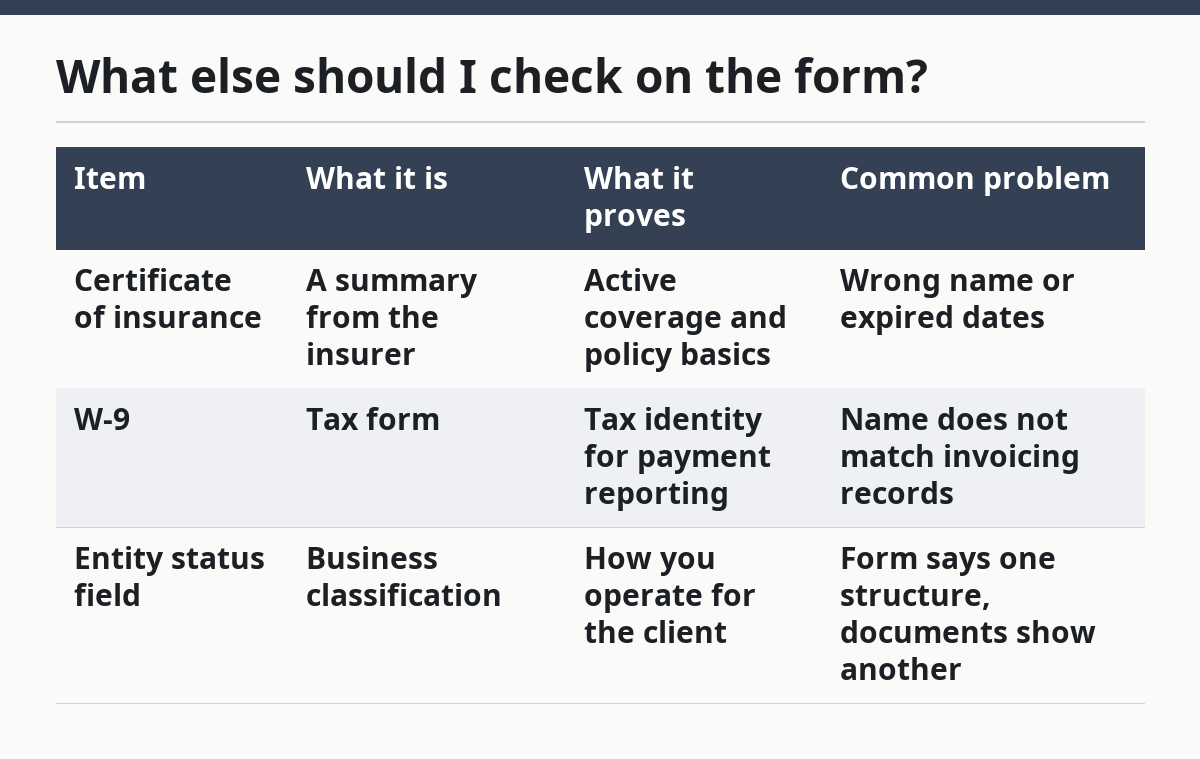
A common mistake is treating the W-9 as proof of insurance or treating the certificate as a tax document. That confusion slows procurement down because each department looks for a different thing. If the form asks for both, answer both, but keep them separate in your review.
When should I stop and ask for help?
You should stop when the form asks for something you cannot verify from your current documents.
The form asks for a policy type you do not carry: This means the request may not fit your current coverage — pause and check the wording before you submit anything.
The form wants additional insured wording, but your certificate does not show it: This means the client is asking for a change in policy terms, not just a name on a page — do not improvise language.
The coverage limit is higher than what your certificate shows: This means the form and your current proof do not match — do not round up or leave the field blank without checking the source document.
The legal name on the form does not match your tax or insurance documents: This means the client may reject the packet for inconsistency — fix the name before you send it.
The form asks for a document you do not have, such as a declarations page or a separate endorsement: This means the client wants more than a certificate — ask what exact document they need, because a certificate alone may not satisfy the request.
The client procurement team uses unclear labels like “proof of full coverage” without naming a policy line: This means the request is too vague to answer safely — get the wording clarified before you choose a document.
For a money-related process, guessing is the wrong move. If the form affects whether you can be paid, onboarded, or kept in compliance, a qualified adviser who knows your situation should review the insurance side before you commit to a representation you cannot support.
What are the most common mistakes?
The most common mistakes are simple, and they are costly because they create delays, rejections, or a request to resubmit the whole packet.
One mistake is uploading the wrong document type. A certificate of insurance is not the policy itself, and a W-9 is not insurance proof. The fix is to read the field label and submit the exact document requested, not the closest one.
Another mistake is ignoring the named insured line. If the certificate lists your personal name but the form uses your business name, the client may see a mismatch. The fix is to match the legal name across the form, the W-9, and the certificate.
A third mistake is skimming the limits. Coverage limits are often buried in the middle of the certificate, and a quick glance can miss them. The fix is to verify the limit fields line by line before upload.
A fourth mistake is assuming additional insured language is the same as a certificate holder. It is not. A certificate holder receives notice or a copy; an additional insured request changes how the policy may respond. If the form asks for the latter, the correct alternative is to verify the policy language, not to paste the client’s name into a blank field.
A fifth mistake is answering tax questions from memory. The W-9 must reflect the current taxpayer identity, not an old invoice template. The correct alternative is to pull the form from your current records and keep the signed or completed version you submitted.
What should I do if the form does not fit my situation?
You should stop, document the mismatch, and ask the client to clarify the field before you submit a guess.
Some forms are built for larger vendors and assume a company structure, a broker, or a policy package that a solo freelancer may not have. That is common in procurement, especially when the form is generic and not written for a 1-person business. The right move is not to force an answer into a blank; it is to identify the exact field that does not fit.
If the form asks for an expiration date, a policy number, or an endorsement you cannot produce, note which line is the problem. If the request is for proof you do not have, that usually means the packet is incomplete for the client’s process, not that you should create a substitute document. A blank or “N/A” may be acceptable only if the client says so in writing.
A form with 15 fields can also hide a bigger issue: the client may be asking for insurance that does not match the work. For example, an on-site assignment and a remote consulting job often trigger different questions. If the request seems off, ask for the procurement standard they want you to meet instead of assuming the most demanding option applies.
How do I know the review is finished?
The review is finished when every insurance field can be tied to a real document, every tax field matches your records, and nothing is left as an unverified guess.
A good result is a packet where the certificate of insurance, W-9, and entity status all agree on the same legal name, and the coverage dates are current. The form should not contain hidden contradictions, like a business name that appears one way on the W-9 and another way on the certificate. If the client asks for additional insured language, that request should be clearly answered or clearly flagged for later action.
This is the point where many people stop too early. They see “submitted” and assume the job is done, but procurement often sends back one more question if a field is vague or blank. A careful review now can save a second round later, especially when the client is working from a 24-hour internal checklist or a longer review queue.
What if the client asks for something I do not have?
If the client asks for proof you do not have, do not invent it, guess at it, or submit a different document as if it were the right one.
The correct first step is to identify the exact item requested, such as a certificate of insurance, policy endorsement, or declarations page. Then check whether the issue is missing coverage, missing wording, or missing paperwork. Those are different problems, and each one needs a different answer.
If the request is tied to money, tax, or legal rights, do not treat it as a casual admin task. A qualified adviser should review your own circumstances before you say yes to a representation that may affect your liability or your payment setup. You do not need to solve the client’s procurement process by force; you need to respond accurately.
What insurance questions appear on vendor onboarding forms?
They usually ask for a certificate of insurance, coverage limits, policy dates, and sometimes additional insured language. Some forms also ask for policy numbers, carrier names, or a declarations page. The exact mix varies by client procurement team and by the work you are being hired to do, so check the document line by line.
Should I answer onboarding questions before I buy insurance?
You should not guess at insurance answers just to finish the form. If the client asks for proof you do not have yet, the right move is to pause and confirm what they will accept. For your own situation, a qualified adviser should review the insurance and payment implications before you state that a policy exists.
What do I do if the form asks for proof I don’t have?
You should identify the missing item and ask the client what document they need instead of sending a substitute that may not fit. If the request is a certificate, a declarations page, or additional insured wording, each one means something different. Do not invent or alter proof; get the request clarified in writing first.
Drafted with AI; not yet reviewed by a person.
