

Last updated: November 19, 2026
Key Takeaways
- A solid freelancer policy setup protects against claims tied to loss, injury, mistakes, or missed work, not just equipment.
- The right policy design follows your work, contract, and data flow, not a template quote.
- Most freelancers start with professional liability, then general liability, then cyber or equipment coverage, depending on how they work.
- Limits, deductibles, and endorsements should fit your biggest contract and most likely claim, not just the lowest quote.
Freelancer policy setup is about matching your real client risks to the coverage that actually pays when something goes wrong. The right design usually starts with general liability, professional liability, and clear policy limits. Freelancer Policy Setup and Coverage Design — The Complete Guide is about how to set that protection up in a way that fits real freelance work.
This guide shows what to set, what to skip, and how to spot a policy that looks fine on paper but fails in a claim. Quick answer: many freelancers need at least 2 core coverages—professional liability and general liability—before adding cyber or equipment protection.
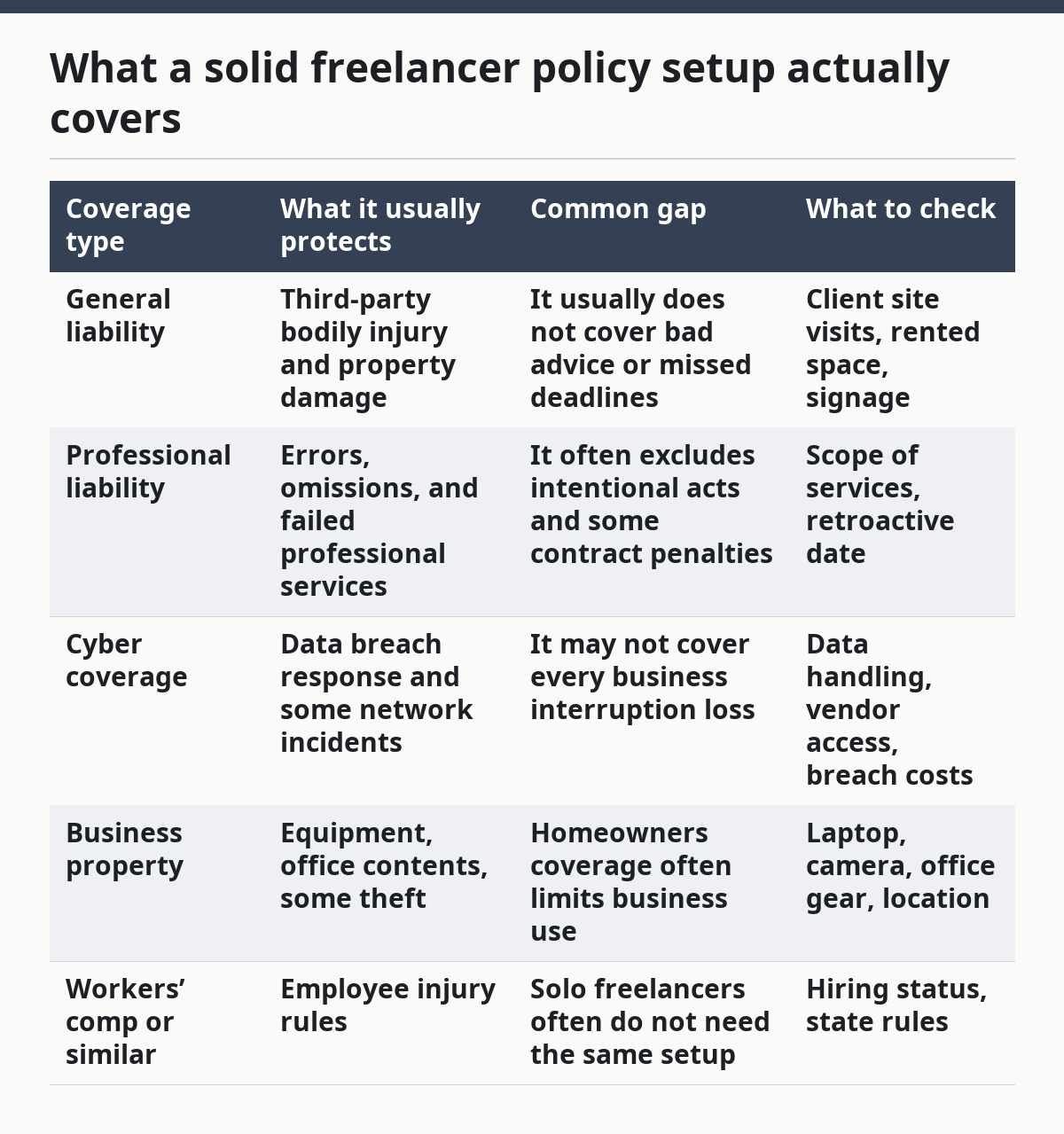
What a solid freelancer policy setup actually covers

A solid freelancer policy setup covers the risk of being blamed for loss, injury, mistakes, or missing work, not just the gear on your desk. The cleanest setup usually starts with general liability, professional liability, and cyber coverage around your client work.
Picture this: you’re sending contracts, sharing files, and sitting on video calls, then a client says your work caused a missed launch or a privacy problem. The policy design should answer that moment before it happens. Since freelance work often runs through cloud tools and client portals, the coverage needs to match that workflow. Here’s the catch: one policy rarely fits every freelancer.
| Coverage type | What it usually protects | Common gap | What to check |
|---|---|---|---|
| General liability | Third-party bodily injury and property damage | It usually does not cover bad advice or missed deadlines | Client site visits, rented space, signage |
| Professional liability | Errors, omissions, and failed professional services | It often excludes intentional acts and some contract penalties | Scope of services, retroactive date |
| Cyber coverage | Data breach response and some network incidents | It may not cover every business interruption loss | Data handling, vendor access, breach costs |
| Business property | Equipment, office contents, some theft | Homeowners coverage often limits business use | Laptop, camera, office gear, location |
| Workers’ comp or similar | Employee injury rules | Solo freelancers often do not need the same setup | Hiring status, state rules |
A good policy setup also names the correct business entity, the right mailing address, and the actual services you sell. If you write code, design brands, edit video, or advise clients, the wording should match that work. This part matters because the policy form follows the business description, and a mismatch can create claim problems later.
How do I choose the right policy design for freelance work?
The right policy design follows your work, your contract, and your data flow, not a template on a quote page. If your client work can fail quietly—like writing, design, consulting, coding, or marketing—professional liability usually matters more than a big property limit.
Picture this: you spend half the week in a home office, but your work lives in cloud tools, shared drives, and client portals. The policy needs to protect the way the job really runs. Start with the exposures below and build from there.
-
List the services you sell. Write the exact service names from your proposals, not a vague label like “creative work.”
Check: if a stranger reads it, can they tell what you do?
Do not: leave out advisory, technical, or data-handling work. -
List where the work happens. Note home office, client site, coworking space, or remote-only.
Check: does the setup expose client property or face-to-face risk?
Do not: assume a home policy covers business use. -
List what can go wrong. Think missed deadlines, wrong advice, broken files, breach of privacy, or accidental injury.
Check: does each risk point to a coverage type?
Do not: buy only property coverage and call it done. -
Read contract insurance terms first. Look for certificates, additional insured wording, and minimum limits.
Check: does the quote satisfy what clients actually ask for?
Do not: buy a policy that misses contract wording. -
Match the retroactive date. If you need prior work covered, the start date matters.
Check: does the policy reach back far enough for past projects?
Do not: assume a new policy covers old mistakes. -
Decide who is named. Sole proprietor, LLC, or corporation matters on the declaration page.
Check: does the legal name match invoices and contracts?
Do not: use a nickname or brand name only. -
Set the deductible and limit together. Lower deductibles help cash flow; higher limits help client demands.
Check: can you pay the deductible without breaking payroll or rent?
Do not: choose a low premium if the deductible would be hard to pay.
A clear service list usually improves the quote and the claim path. That is not a slogan. It is paperwork that decides whether the insurer sees a real freelance business or a fuzzy side hustle.
Which coverages do most freelancers need first?

Most freelancers need professional liability first, then general liability, then cyber or equipment coverage depending on how they work. The order changes if you meet clients in person, handle sensitive data, or own expensive gear.
Picture this: you’re comparing three policies and the premium looks similar, but the coverage list is not. The key here is the service trigger — notice how one policy covers “professional services” and another stops at bodily injury and property damage. That difference decides whether a mistake claim gets handled or denied.
| Coverage | Best for | Typical trigger | Common exclusion to watch |
|---|---|---|---|
| Professional liability | Consultants, designers, writers, developers | Claims about errors, omissions, or failed advice | Intentional acts, certain fines, known claims |
| General liability | Freelancers who visit client sites | Injury or property damage to others | Pure financial loss from bad work |
| Cyber | Anyone storing client data or using cloud tools | Breach, ransomware, unauthorized access | Old systems, weak controls, excluded vendors |
| Inland marine or equipment | Photographers, videographers, mobile creators | Theft or damage to mobile gear | Wear and tear, unexplained loss |
| Umbrella or excess | Higher-risk freelancers with larger contracts | Extra limit above another policy | It usually follows an underlying policy only |
A common mistake is buying general liability first because it sounds familiar. That is backwards for many solo service businesses. If your work mainly creates a financial loss, not a stubbed toe or broken monitor, professional liability usually does the heavy lifting.
The other mistake is treating cyber coverage like a luxury. If you store payroll files, client drafts, private contacts, or login credentials, the breach response bill can show up fast. Consult a licensed insurance professional or broker about whether cyber coverage fits your workflow, and review guidance from the U.S. Small Business Administration and the National Institute of Standards and Technology on business risk and incident response. The policy should answer who pays for notice, cleanup, and some loss tied to the incident.
How should the limits, deductible, and endorsements be set?
The limits, deductible, and endorsements should be set around your biggest contract and your most likely claim, not around the lowest quote. A low premium with weak limits is a cheap way to buy disappointment.
Picture this: a client asks for a certificate with a $1 million limit, additional insured wording, and a waiver of subrogation. The quote page looks fine, but the endorsement list does not. That is the gap where freelancers get burned. The request itself is common in contract insurance terms, and the insurer needs to support it in writing.
| Policy setting | What it changes | Better choice when… | Bad sign |
|---|---|---|---|
| Per-claim limit | Maximum per covered claim | One lawsuit could dwarf a smaller limit | Only the aggregate looks high |
| Aggregate limit | Total for the policy term | You have several smaller projects or clients | The aggregate is only slightly above one claim |
| Deductible | What you pay before coverage | You need to keep monthly cost down | It is so high you would not file a claim |
| Additional insured | Extends certain protection to a client | Contracts demand it for site work or vendor access | The insurer will not add it |
| Waiver of subrogation | Restricts insurer recovery against a client | A contract requires it | The policy only offers it for some lines |
| Prior acts / retro date | Reaches back for old work | You are switching carriers or carrying old client risk | The date resets when the policy changes |
A useful rule: set a deductible you can pay in 30 days, not one you hope never gets called. If the deductible is too large, you will hesitate to report a valid claim. That hesitation can hurt more than the premium savings ever help.
Endorsements deserve the most attention because they are where contract promises live. A client can be impressed by a certificate and still reject the policy if the endorsement language is missing. Not close. Not even close.
What setup mistakes hurt freelancers the most?
The worst setup mistakes are wrong business name, wrong service description, missing retro date, and assuming a homeowner’s policy covers business work. These errors are common because they hide in plain sight until a claim shows up.
Picture this: you file a claim for a project mistake, then discover the insurer sees your work as a different kind of business than the one on the application. The policy can fail without looking “wrong” at first glance. That is the trap.
-
Using the wrong legal entity.
Check: the declaration page should match the name on tax forms and contracts.
Do not: use a personal name when the work runs through an LLC. -
Describing work too narrowly.
Check: every real service line should fit inside the description.
Do not: say “graphic design” if you also do brand strategy and web content. -
Skipping prior-work protection.
Check: the retroactive date should cover earlier projects if needed.
Do not: assume a new policy protects old client work. -
Leaving out subcontractor exposure.
Check: if you hire editors, coders, or assistants, ask how their mistakes are treated.
Do not: assume they are automatically included. Consult a licensed insurance professional if your project team changes. -
Ignoring client data.
Check: if you store personal or payment data, cyber terms should fit that use.
Do not: treat every cloud app as “someone else’s problem.” -
Buying only the certificate clients asked for.
Check: the policy should protect the business, not just satisfy one form.
Do not: optimize for paperwork and forget the claim.
The cheapest policy often looks fine until you compare the exclusions. Read those exclusions first, not last. They usually decide more than the premium does.
What does a clean coverage design look like in real life?
A clean coverage design matches the kind of freelancer you are: service provider, gear-heavy creator, or client-site contractor. The right layout is not one policy type for everyone. It is a stack that fits the job.
Picture this: you are a freelance developer with no client visits, lots of cloud tools, and several ongoing retainers. Your build will look different from a photographer who carries cameras to shoots. The policy should show that difference on the declarations page and endorsements.
| Freelancer type | Core risk | Often first coverage | Often second coverage |
|---|---|---|---|
| Writer / editor | Content mistakes, missed deadlines | Professional liability | Cyber |
| Designer / consultant | Advice errors, IP disputes, client loss | Professional liability | General liability |
| Developer / IT freelancer | Code failure, data incidents | Professional liability | Cyber |
| Photographer / videographer | Gear theft, client-site injury | Inland marine or equipment | General liability |
| Coach / advisor | Advice disputes, privacy issues | Professional liability | Cyber |
A practical setup usually follows this order:
- Choose the main business form and make sure the policy names it correctly.
- Add professional liability if your work can create financial harm.
- Add general liability if you visit sites, host meetings, or handle client property.
- Add cyber if you store, send, or access private data.
- Add equipment coverage if your tools travel with you.
- Check endorsements against your biggest contract before you pay.
The visual test is simple: if your work is digital, the coverage should not look like a furniture store policy. If your work is mobile, the policy should not act like your gear never leaves the house. The shape matters.
How should you review a quote before you bind it?
You should review the quote by checking the declarations page, exclusions, endorsements, and any contract wording before you bind it. A five-minute skim is how freelancers end up with the wrong policy.
Picture this: the premium is attractive, the agent says it looks normal, and the policy number is ready. The key here is the exclusion list — notice how one line can wipe out work you actually do, such as media liability, privacy events, or subcontractor-related losses. That line matters more than the sales pitch.
Before you bind, verify these items:
| Item to review | What correct looks like | What wrong looks like |
|---|---|---|
| Named insured | Exact legal name | Nickname, brand only, or old entity |
| Business description | Matches real services | Too narrow or vague |
| Limits | Fits client contracts | Lower than required by one client |
| Deductible | Affordable if a claim hits | So high you would avoid filing |
| Retro date | Covers needed past work | Starts after old projects began |
| Endorsements | Written promise appears in policy | Promised verbally, missing on paper |
| Exclusions | No surprise work category | Work you sell is carved out |
The best move is to read the whole package, not just the quote summary. The declaration page tells you what exists. The exclusions tell you what does not. That is the real map.
If a broker cannot explain a clause in plain language, ask for the exact policy form name. Then compare that form to the contract requirement or the risk you are trying to cover. A freelancer policy should be boring in the best way: clear, narrow, and aligned.
What should a freelancer ask before renewing or changing coverage?
A freelancer should ask whether the current policy still matches the services, clients, and tools used in the last 12 months. Growth changes the risk faster than most people notice.
Picture this: you started as a one-person writer, then added SEO audits, AI-assisted drafting, or client data work. The policy that fit year one can miss year two. That gap is how a clean renewal turns into an uncovered claim.
-
Did the service mix change?
Check: new consulting, technical, or advisory work should be listed.
Do not: renew an old description out of habit. -
Did client contracts tighten?
Check: see whether new clients require different limits or endorsements.
Do not: rely on last year’s certificate request. -
Did you hire help?
Check: subcontractors or employees can change liability and payroll rules.
Do not: assume solo terms still fit. -
Did you handle more data?
Check: more storage, logins, or payment info means cyber terms matter more.
Do not: downplay privacy exposure. -
Did you buy or upgrade gear?
Check: camera kits, laptops, or audio tools may need higher property limits.
Do not: leave old values on the schedule. -
Did the policy respond to any claim or near miss?
Check: recurring problems can signal a coverage gap.
Do not: renew blindly after a loss.
A renewal is not just a price check. It is a risk check. If the work changed, the policy should change with it, even if the old premium looked comfortable.
Frequently asked questions
Do I need both general liability and professional liability?
Yes, many freelancers need both because they protect different losses. General liability is for injury or property damage to others, while professional liability is for mistakes in the service itself. If you only buy one, pick the one that matches your main risk, not the one that sounds more familiar.
Is a homeowner’s policy enough for freelance work?
Usually no, not if the work is a real business and not a casual side task. Home policies often limit business property and may exclude liability tied to business services. If you work from home, ask for the exact business-use terms before you assume you are covered.
What is a retroactive date and why does it matter?
The retroactive date is the point from which past work can be covered under a claims-made policy. It matters because older projects can create claims later. If the date is too recent, work done before that date may fall outside coverage.
Do freelancers who only work online need cyber coverage?
Often yes, because online work still touches private files, logins, client data, and cloud systems. A breach can happen through email, shared drives, or a compromised account. If you never handle sensitive data, the need may be lower, but the risk is still worth reviewing. For a broader risk review, consult a licensed insurance professional and see NIST’s guidance on incident response.
Should I buy the cheapest policy that meets a client’s certificate request?
No, because a certificate request is not the same as real protection. A cheap policy can miss key endorsements, use the wrong business description, or exclude the exact work you do. The better move is to match the contract and the actual job, then compare what is left on the page.
Drafted with AI; not yet reviewed by a person.
