
Last updated: November 20, 2026
Quick answer: use a 1-page rework record plus the complaint thread, the revised file, and a dated approval trail; in most cases, that gives you a usable paper trail in 15 to 30 minutes. For How to Document a Freelance Rework or Fix After Client Complaint, keep the complaint, the change request, the revised deliverable, the approval trail, and the time or expense log in one place, because that file is what turns a messy dispute into a traceable paper trail.
Key takeaways
- Record the complaint, the fix, and the client’s approval in the same trail so the story stays linear.
- Save the original version and the revised version; the gap between them matters as much as the fix itself.
- Track time, tools, and any out-of-pocket cost in a separate line item so the numbers do not blur together.
- Write follow-up messages in plain language and keep date stamps on every email thread and file.
- If the complaint touches fees, liability, or an insurance claim, this is information only; a qualified adviser should review your situation.
Who should make a rework record?
A rework record should be made by any freelancer who has to fix paid work after a client complaint, a change request, or a revision that turned into corrective work. For How to Document a Freelance Rework or Fix After Client Complaint, it works best when there is already a dated brief, a deliverable revision, and at least one email thread or message chain to anchor the timeline.
This approach assumes you can still identify three things: what was delivered first, what the client said was wrong, and what was changed after that. If any one of those is missing, the record becomes weaker fast. A screenshot of a chat, a PDF of the original draft, and the revised file name with a date can be enough to start.
A generic notes app is usually not enough. A proper record should hold the complaint, the change request, the fix, the approval, and the rework invoice or time log in one place. That single file makes later checks easier for an insurer, an accountant, or a client who wants a clean summary. For a broader workflow, see freelancer invoice handling and client revision policy.
What should go in the record?
A useful rework record should include the complaint, the original scope, the fix, the approval, and the cost trail. The goal is not to write a long essay; it is to create a short file that shows cause and effect across 1 project and 1 correction cycle.
At minimum, include the client name, project name, deliverable title, date of original delivery, date of complaint, date of change request, date of revised delivery, and date of approval or follow-up. Then add the exact version names, such as “Draft 1,” “Revised Draft 2,” or “Final v3.” Those labels matter because they prevent confusion when there are 2 or 3 files with nearly the same name.
Save the original complaint in the client’s own words if possible. A short quote from an email or message is better than a paraphrase, because it shows what the client actually said. Then write your summary of the issue in one line, such as “headline mismatch,” “layout error,” or “missing file attachment.”
Keep the practical proof too. That can include a screenshot, a marked-up PDF, a redlined document, or an exported change log from design or editing software. If a tool gives revision history, preserve the export before it gets overwritten. For file naming and handoff discipline, see how to store client files and scope creep checklist.
How do I document a freelance rework step by step?
Documenting rework step by step means building a dated chain from complaint to fix, with each step tied to a file or message. A simple 7-step record is usually enough if each step has a timestamp, a version name, and one clear outcome.
- Capture the complaint: Save the original email, chat message, or call summary within 24 hours, and record the date, time, and sender. Verify that the complaint matches the deliverable in question. A problem shows up if the complaint is only remembered from a call and never written down.
- Log the change request: Write down exactly what the client asked to change, using the same words where possible. Add the requested due date, even if it is only “ASAP” in a message. A problem shows up if the request is vague, because vague requests can hide scope creep.
- Save the original version: Store the first deliverable as a locked file or read-only copy, with a clear version label such as “v1” or “original.” Verify that the file opens and matches what was sent. A problem shows up if you overwrite the original and cannot prove what changed.
- Describe the corrective work: Write a short note on what you changed, line by line if needed, and tie each change to the complaint or request. Include the software or file type if it matters, such as PDF, DOCX, or PSD. A problem shows up if the fix is described only as “updated work,” which tells nobody what actually changed.
- Track time or cost: Record the start and stop time, or the amount spent, in a separate line item marked “rework” or “correction.” Keep original project time apart from fix time. A problem shows up if the hours are mixed together and the rework cost cannot be separated later.
- Send the revised deliverable: Attach the corrected file and name it clearly, such as “ClientName_Project_Revised_2026-11-20.” Verify that the file sent is the same file recorded in the log. A problem shows up if the wrong version goes out and the paper trail no longer matches the delivery.
- Record the client’s response: Save the approval, further complaint, or silence after follow-up, and note the date of the last message. If the client approves, write the exact wording and keep the email thread. A problem shows up if you assume approval without anything in writing.
A clean record usually takes 15 to 30 minutes to build after the fix is done, and longer if there are several files or 2 rounds of changes. The main test is simple: a stranger should be able to read the file and understand what happened in under 5 minutes.
What counts as proof of the fix?
Proof of the fix is the set of records that shows the complaint, the correction, and the result without guessing. The strongest proof is a mix of written messages, file versions, and a dated approval trail, not just one screenshot or one note.
Use a comparison like this to keep the evidence organized:
| Item | What it shows | Weak point | Best use |
|---|---|---|---|
| Email thread | What the client said and when | Can be long and messy | Timeline and approval |
| Change request | What was asked to change | May be vague | Scope of the correction |
| Original file | What was sent first | Easy to lose | Before-and-after check |
| Revised deliverable | What changed | Needs context | Proof of the fix |
| Rework invoice or time log | What the correction cost | Can be incomplete | Cost tracking |
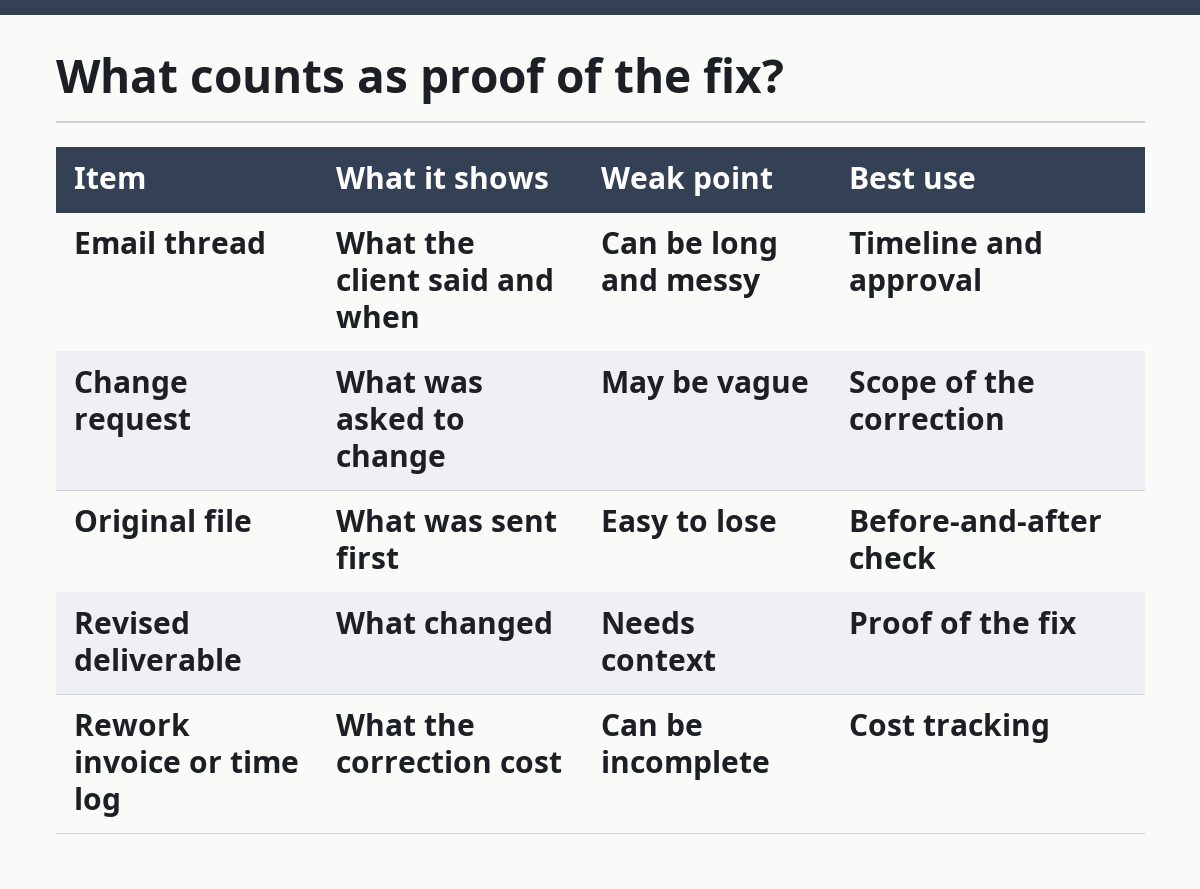
A good proof set does not need every possible file. It needs enough to connect the dots across 1 complaint, 1 fix, and 1 result. If the client sent notes in Slack and then approved by email, keep both. The U.S. Copyright Office also recommends keeping records that show authorship, dates, and revisions when ownership or originality may matter, which is another reason the trail should stay complete: https://www.copyright.gov/registration/recordkeeping.html.
The word “version” matters here. Version control means naming and saving each state of the work so the file history stays visible. That can be as simple as “v1,” “v2,” and “final,” but the labels must be consistent across the folder, the invoice, and the message thread. That approach also matches standard project recordkeeping guidance used in document management systems and change logs, such as the National Archives’ overview of managing records: https://www.archives.gov/records-mgmt.
When should you stop and get help instead?
You should stop trying to handle the record alone when the complaint stops being a simple correction and starts touching rights, money, or formal dispute handling. The record can still help, but the next step may need qualified help for your own situation.
The client is disputing payment: That can turn a simple rework note into a fee dispute — keep the paper trail intact and seek qualified advice before you change the invoice or agree to a discount.
The complaint expands beyond the original scope: That usually means the change request has crossed into new work — separate the extra work from the original fix and document it on its own line.
The deliverable affects third-party rights or deadlines: A missed filing date, publication date, or contractual deadline can create consequences beyond the project — pause and get advice before making promises about remedy.
The client is asking for a refund and a rewrite at the same time: That can blur the line between correction and new work — keep both requests separate in writing so the record does not merge them.
Your own notes are inconsistent: If the dates, file names, and email thread do not line up, the record is already weak — rebuild the timeline before sending anything else.
There is an insurance question involved: A claim can require a tighter paper trail than a client chat thread alone — keep the rework record separate from the claim packet and ask a qualified adviser what fits your case. For insurance terminology and claim documentation basics, the National Association of Insurance Commissioners has plain-language resources here: https://content.naic.org/consumer.
The wrong move in these cases is to improvise. A 2-page record that is accurate is more useful than a 10-page one that mixes corrected work, side discussions, and guesses.
What mistakes ruin a rework record?
The biggest mistakes are losing the original version, blending work time with rework time, and relying on memory instead of dated messages. Each one makes the record less believable and harder to use later.
- Overwriting the first file: This destroys the before-and-after trail. Keep the original as a separate copy and name it clearly, such as “original” or “v1.”
- Writing only a summary: A note that says “fixed client issue” is too thin. Add the complaint, the requested change, and the revised file name.
- Mixing project hours and rework hours: That makes cost tracking muddy. Keep a separate line for correction time so the amount can be checked later.
- Leaving approvals in chat without saving them: A disappearing message thread can leave no proof. Export or screenshot the approval and store it with the record.
- Using vague labels like “latest” or “final final”: These names cause confusion fast. Use dates or version numbers, such as “2026-11-20_v2.”
- Deleting the complaint after it is resolved: The fix may be done, but the record still matters. Keep the complaint and the response together in one folder.
The clean alternative is boring but reliable: one folder, one timeline, one set of names, and one short summary. That is usually enough for a client file and often easier to use later than a long chat transcript. For a tighter process, pair it with freelance project documentation and client handoff checklist.
How should the record be shared?
The record should be shared in a short, readable format with only the parts the other side needs, such as the client, an accountant, or an insurer. A 1-page summary plus the attached email thread and revised deliverable is often clearer than a large dump of files.
Use a simple structure: what happened, what changed, what was delivered, and what it cost. Put the dates in order and use the same labels throughout. If the record is going to support a wider freelancer insurance claim preparation file, link it to the hub page on that topic rather than stuffing every detail into one document.
Keep the tone factual. Do not argue inside the record, and do not add blame language that cannot be backed up by the messages. “Client requested revised headline and footer” is stronger than “client was unreasonable,” because the first line can be checked against the file trail.
A good shared record can be read in under 10 minutes. If it takes longer, cut side comments and keep the core trail: complaint, change request, revision, approval, and cost.
FAQ
Should I record rework time separately?
Yes. Rework time should be listed on its own line so it does not get mixed into the original project fee or hours. That separation makes the record easier to read and helps if the correction later needs to be explained to a client, accountant, or insurer.
How do I show I tried to fix the issue?
Show the original complaint, the change request, the revised file, and the follow-up message in the same timeline. A short note that explains what changed in the 2nd or 3rd version helps too, especially if the fix was partial or needed another round of edits.
Can rework records help with a claim?
Yes, if the record shows what happened, when it happened, and what cost the correction created. A claim usually needs more than a story; it needs dated proof. A clear rework record can support that proof, but the exact documents needed depend on the situation and should be checked with a qualified adviser.
Drafted with AI; not yet reviewed by a person.
