

Last updated: November 21, 2026
Quick answer: The topic, What to Include in a Freelance Claim Evidence Folder, comes down to 5 core records: the contract, invoice, email thread, deliverable files, and incident notes. That is the core set most readers need when a client dispute, missed payment, scope change, or damage claim turns into a formal claim.
Key takeaways
- Keep the job proof together: agreement, messages, files, invoices, and notes all belong in one folder.
- Save the version that proves what was agreed, not just the latest draft.
- Put dates on incident notes, because memory fades faster than a file name.
- Store the material in a format you can open quickly, such as PDF, PNG, DOCX, or the original project file.
- Leave out clutter. Screenshots of the same chat ten times do not help if one clean export already shows the timeline.
What belongs in a freelance claim evidence folder?

Therefore, a freelance claim evidence folder should contain the records that show what was agreed, what was delivered, what went wrong, and what you tried to fix. If a person cannot trace the job from start to finish in under 5 minutes, the folder is too thin or too messy.
The most useful items are not the most dramatic ones. A signed contract or written agreement sets the terms. The invoice shows what you charged and when. The email thread shows instructions, approvals, delays, and complaints. Deliverable files show the actual work. Incident notes explain the problem in plain language while the facts are still fresh.
Specifically, a strong folder also keeps proof of deadlines and handoffs. That can include a dated brief, a revision request, a file-transfer receipt, or a message that confirms delivery. If the claim concerns payment, include the invoice number, the due date, and any reminder emails. If it concerns work quality, include the version history or the file name trail.
For a claim related to a damaged item, missing file, or service dispute, the folder needs the same backbone. The point is not to store everything ever written about the project. The point is to store the records that support one claim and nothing that muddies it. This is the kind of practical file structure that sits alongside the broader freelancer claims readiness and evidence guidance on the site.
What documents should go in a claim folder?
So a claim folder should include five document types first: contract, invoice, email thread, deliverable files, and incident notes. Those five do most of the work because they show agreement, performance, and the gap between them.
Here is the minimum set in order of usefulness:
| Document type | What it proves | What to keep |
|---|---|---|
| Contract or written agreement | Scope, price, deadline, terms | Signed PDF, signed scan, or the original email with the terms accepted |
| Invoice | What you billed and when | Invoice number, issue date, due date, amount, and payment status |
| Email thread | Instructions, approvals, complaints, and reminders | The full chain, not just the last message |
| Deliverable files | The work itself | Final version, earlier versions, and export copies |
| Incident notes | What happened and when | A dated note with names, times, and a short summary |
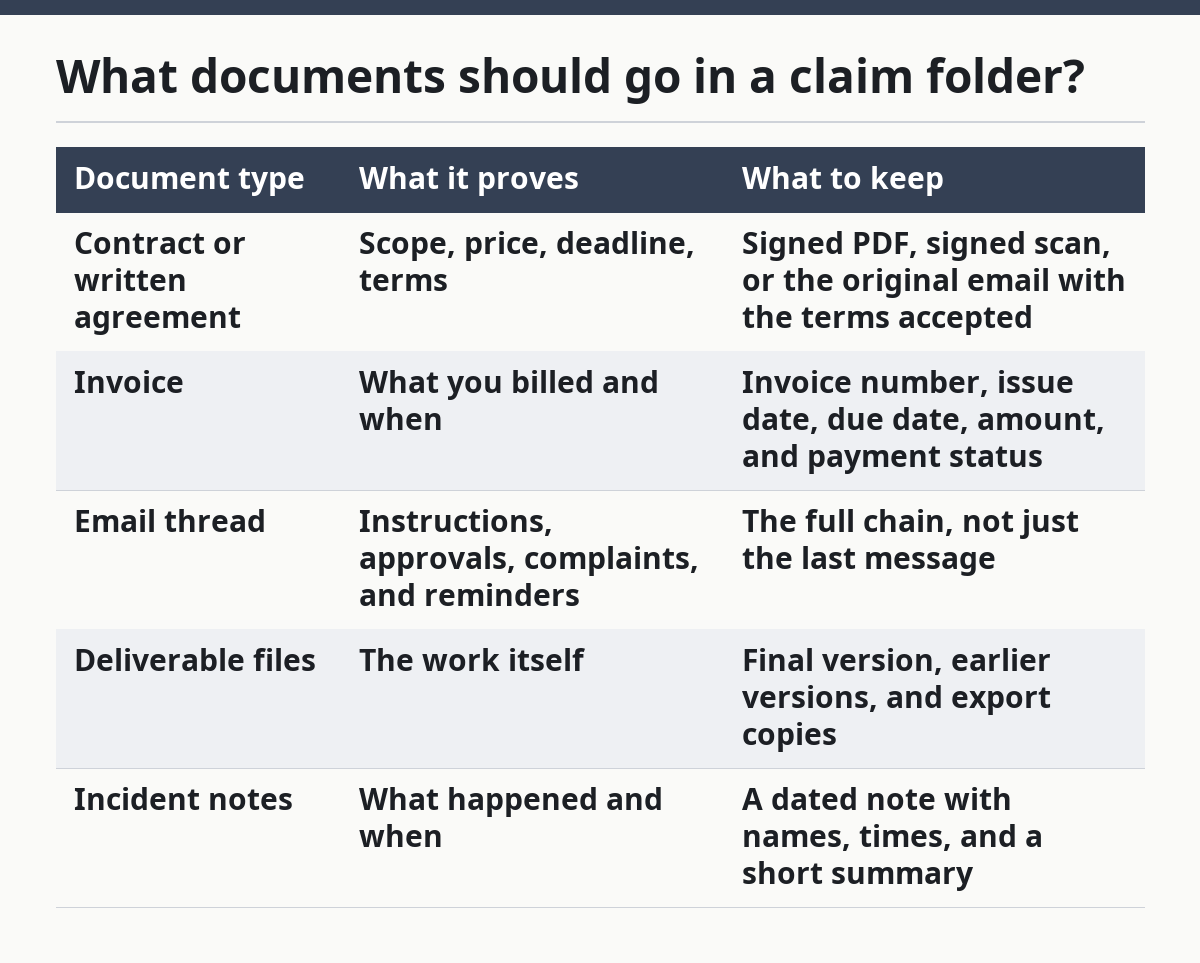
The contract matters even if the job was “just a quick project.” A 1-page agreement can still be strong proof in the folder, even if it is not the only proof. The invoice matters because a claim often turns on date, amount, and scope. The email thread matters because it shows who asked for what, and when. Deliverable files matter because they prove the work existed in a real state at a real time. Incident notes matter because they fix the timeline before it gets blurry.
A generic file dump fails here. One folder named “client stuff” may hold everything and prove nothing. The better move is to keep the exact version that supports the claim, not a pile of drafts that forces the reviewer to guess which one matters.
How do I build the folder step by step?
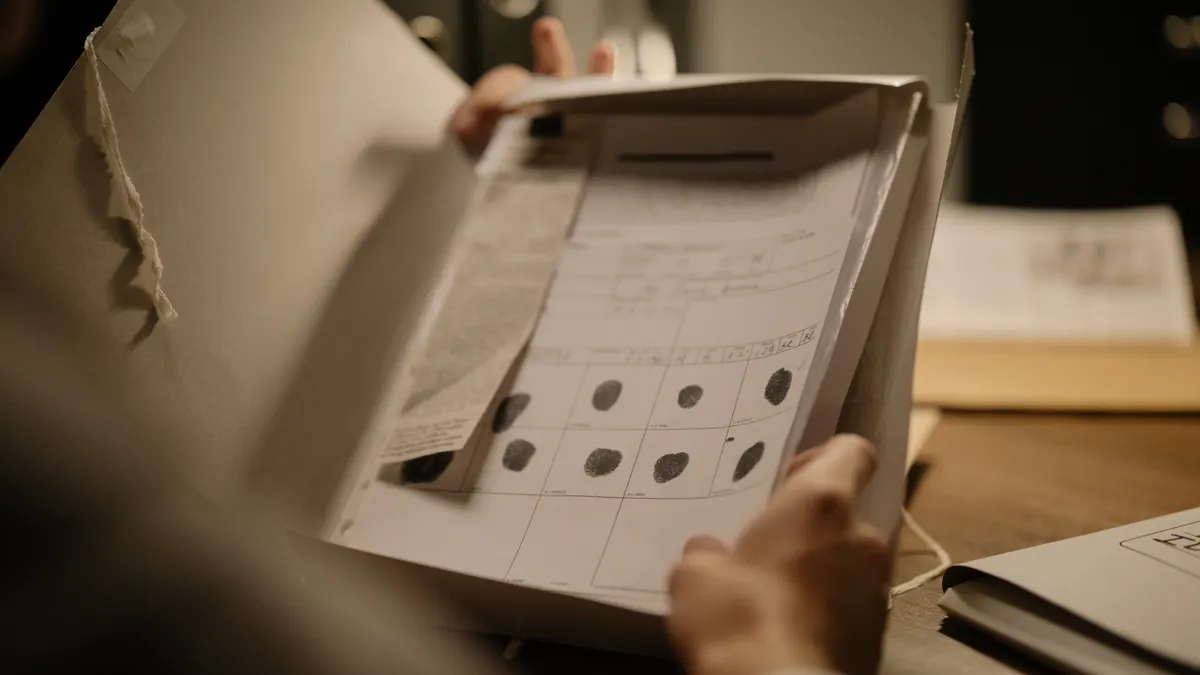
Therefore, you build a freelance claim evidence folder by collecting the records in timeline order, naming them clearly, and saving them in formats that open without drama. A clean folder is easier to read than a clever one.
-
Start with the contract or written agreement. Save the signed PDF, the accepted proposal, or the email where the client agreed to the terms. This sets the baseline for scope, price, and deadline.
-
Add the invoice next. Include the invoice number, issue date, due date, and amount in the file name if possible. This makes the payment trail easy to scan in 10 seconds.
-
Export the full email thread. Keep the whole chain, not just the final message. The result should show the request, any approvals, any scope changes, and any dispute in one place.
-
Collect the deliverable files. Save the final version plus any earlier version that matters to the claim. If the file is large, keep an export copy in PDF or PNG so someone can open it fast.
-
Write incident notes while the facts are still fresh. Use a date, the project name, the people involved, what happened, and the exact next step taken. A 200-word note beats a vague memory.
-
Check that every item matches the same job. The client name, project name, date range, and file names should line up. If they do not, the folder looks careless even if the records are good.
-
Save a backup copy in a second place. A folder that lives only on one device is fragile. A second copy protects the records if the device fails or a file goes missing.
The folder does not need fancy software. A simple structure in a file manager works if the names are clear. What matters is that the evidence can be followed in under 5 minutes without opening 14 random files.
Which files matter most in a dispute?
Next, the contract and email thread usually matter most in a dispute because they show what the job was supposed to be and who said what. If those two records are weak, the rest of the folder has to work harder.
Here is the practical order of weight:
| File | Why it matters | Weak spot |
|---|---|---|
| Contract | Sets the terms | If it is vague, it may not settle the argument |
| Email thread | Shows the live history | If messages are scattered, the timeline gets hard to read |
| Deliverable files | Shows the work itself | If only the final file is kept, revisions are lost |
| Invoice | Shows the money side | It does not prove the work was approved |
| Incident notes | Captures the event | It is strongest when written right away |
A contract says what should happen. An email thread shows what actually happened. Deliverable files prove what was produced. An invoice proves that payment was requested. Incident notes help explain the gap between the plan and the outcome.
The weak point in many folders is the delivery proof. A freelancer may have the final file on a laptop, but not the export date, the transfer message, or the revision trail. That leaves room for dispute. A second weak point is the habit of keeping only screenshots. Screenshots can help, but they rarely beat the full exported message when the reviewer needs the whole chain.
A claim evidence folder is not a scrapbook. If a file does not support the claim, it is noise. If it supports the claim, it needs to be easy to find in one pass.
What should I leave out of the folder?
However, you should leave out duplicates, loose chat clutter, and unrelated project files that do not support the claim. Extra material makes the folder slower to read and easier to challenge.
A lot of people save everything because they fear missing something. Three copies of the same invoice do not help if none is labelled. Fifty screenshots of a chat app do not help if the key message is already in the email thread. Random drafts from another client can confuse the issue and make the record look untidy.
The better rule is simple: keep one clean version of each important record, plus any earlier version that changes the meaning. If a file does not answer one of these questions, remove it: what was agreed, what was billed, what was sent, or what went wrong? What was said about the problem matters too, but only if it clarifies the dispute.
There is one trade-off here. A very slim folder is faster to read, but it can miss context. A very large folder has more context, but it is harder to trust. For a freelance claim, the middle path works best. Keep enough to prove the story, not enough to bury it.
What file format works best?
Specifically, PDF usually works best for contracts, invoices, and exported email threads because it holds the page layout and opens on most devices. PNG or JPG works well for screenshots. DOCX, PSD, AI, or project files are useful when the actual working file matters.
Format choice affects how quickly someone can read the folder. A PDF can preserve a signed agreement or an email export in a clean, fixed form. A native project file can matter if the claim depends on layers, version history, or editable content. A ZIP file is useful for a group of related files, but only if the contents are clearly named once opened.
The main risk is unreadable evidence. A file in a format that needs special software can slow a claim down by hours or days. A fuzzy screenshot can do the same. If the text matters, save a readable export as well as the original image. If the visuals matter, keep the original file plus a flat export that anyone can open.
A good folder often contains both kinds of files: originals for proof and exports for speed. That gives the reader the facts without making them hunt for the right app.
What should the first page of the folder show?
Ultimately, the first page of the folder should show the claim summary, the key dates, and the main records list. That gives the reviewer a map before they open the evidence.
This page does not need to be long. A short cover note with the client name, project name, invoice number, contract date, delivery date, and incident date is enough. Under that, list the files in the order someone should read them. If the folder has 8 files, number them 01 through 08 so the sequence is obvious.
That first page is not the place for a long argument. It is the place for orientation. A reviewer should know, within 30 seconds, what job the folder covers and where to start. Without that page, even a solid folder can feel scrambled.
If a file is missing, note that too. Silence looks worse than a plain gap. A short note such as “final approval email not available” is more honest than pretending the record is complete.
What documents should go in a claim folder?
A claim folder should include the contract, invoice, full email thread, deliverable files, and incident notes. Those records show the agreement, the work, the money trail, and the problem in one package. If one of those pieces is missing, the folder can still work, but the claim becomes harder to read.
How do I organize a claim evidence folder?
Organize a claim evidence folder in date order, with the contract first and the incident notes near the end. Use clear file names, such as the client name, project name, and document type, so each item can be found in a few seconds. Keep the same job in one folder rather than scattering records across devices.
What is the minimum set of records to keep?
The minimum set is the contract, invoice, email thread, and the file that proves the work was delivered. Incident notes are the fifth record that makes the set stronger. If only one file can be added beyond the basics, add the full email thread, because it often explains the dispute better than anything else.
Drafted with AI; not yet reviewed by a person.
